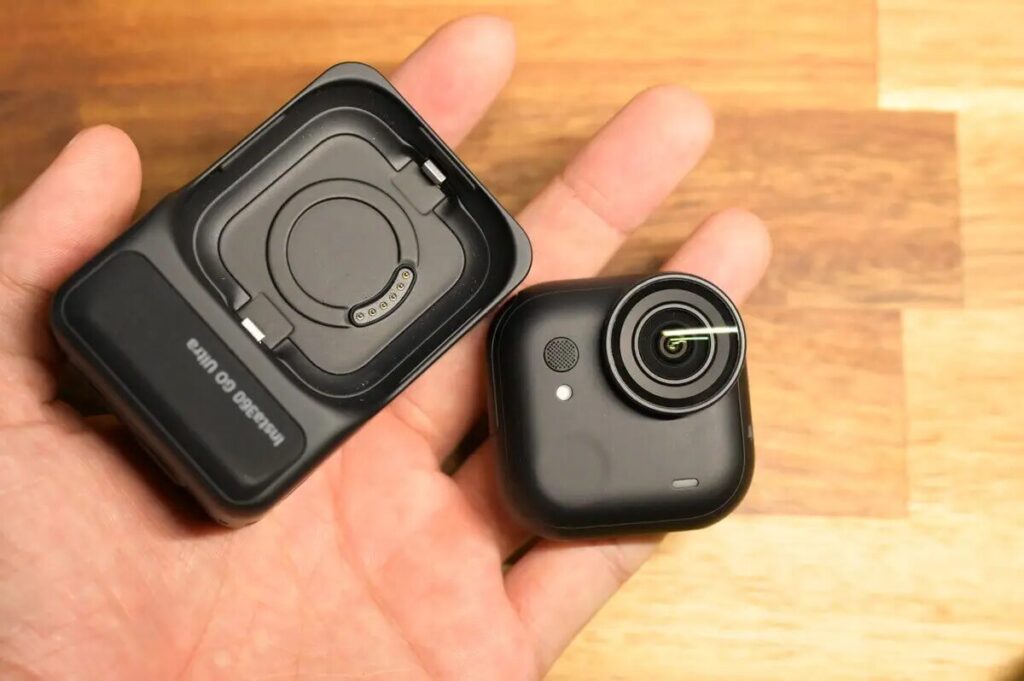
Insta360 officially launched the GO Ultra — its flagship mini pocket camera — on August 21, 2025. Rather than a straightforward “GO 4” upgrade to the GO 3S, the GO Ultra takes a bold new direction: it retains the magnetic mount design while completely overhauling the form factor and delivering a major leap in video specifications.
The name “GO Ultra” signals a clear shift in positioning — this is no longer just an incremental update to the GO 3S thumb camera, but an entirely new product category. In this review, I’ll walk you through the key differences and upgrades between the GO Ultra and GO 3S, and I’ll also compare video quality against the flagship action camera, the Ace Pro 2, to give you a complete picture of GO Ultra’s strengths and weaknesses. My goal is to help you decide whether it’s worth buying.

This review covers the following key topics:
- Specs Comparison
- Bundle Options
- Design & Form Factor
- Video Quality
- Low-Light & Night Shooting
I’ll also directly address the most common questions from GO series users:
- Does the GO Ultra’s image quality actually rival Insta360’s flagship action camera?
- It’s bigger and heavier — does that hurt the user experience?
- Is the GO Ultra used the same way as the GO 3S?
This review is packed with detail — take your time and enjoy it!
Insta360 GO Ultra: Key Highlights
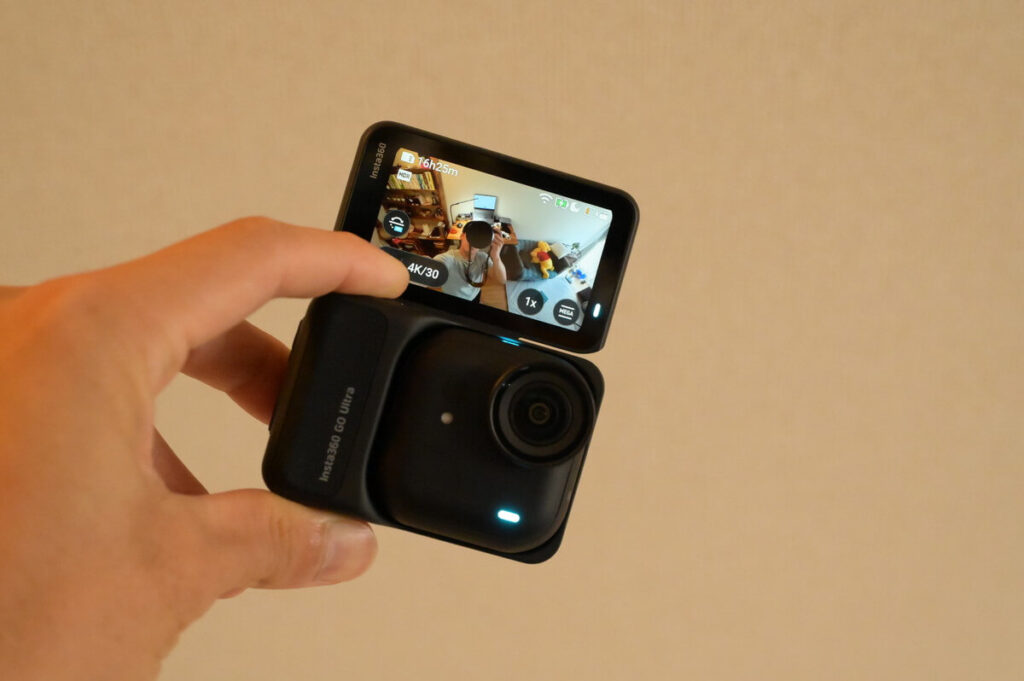
Let’s start with the three most important highlights of the GO Ultra:
- Image quality now rivals Insta360’s flagship action cameras, with more accurate detail and color reproduction
- Fully carries forward the GO series’ signature strengths: compact, versatile, and ready to shoot at a moment’s notice
- Despite the larger body, usability has actually improved — it feels more comfortable and intuitive in hand
Video Quality
The GO Ultra is equipped with a 1/1.28-inch sensor and a 5nm AI chip, delivering a 221% increase in light-capturing area compared to the previous generation. It supports 4K 60fps recording and offers a 4K 30fps Night Mode for low-light environments. Active HDR effectively balances highlights and shadows, while noise control in dark conditions is also impressive. The sensor size is actually slightly larger than the 1/1.3-inch sensor in Insta360’s flagship Ace Pro 2.

In terms of video quality, the GO Ultra has reached the same tier as traditional action cameras — and arguably sits at the top. While the Ace Pro 2 still edges ahead in fine detail and three-dimensionality (thanks to its 8K output), the GO Ultra’s overall performance is nearly on par with the Ace Pro 2, particularly in color accuracy and dynamic range.
This proves that the larger body pays real dividends — the bigger frame accommodates a larger sensor, which translates directly into a significant jump in image quality compared to the GO 3S. The improvement is most noticeable in low-light situations and HDR recording.
Still Photography
Photo capability: The GO Ultra can output stills up to 50 megapixels, with support for 12.5MP HDR shooting and RAW format. Seven built-in filters cater to street photography and creative shooting styles.

Battery Life
The GO Ultra supports 24W fast charging — reaching 80% in just 12 minutes — with a maximum runtime of up to 200 minutes when paired with the Action Pod.
Stabilization & Audio
The GO Ultra features FlowState stabilization with three modes, keeping footage smooth even during cycling or high-intensity activities. On the audio side, it uses a wind-noise reduction and anti-pop mesh structure, supporting Wind Reduction, Voice Boost, and Natural Sound modes. It’s also compatible with the wireless Mic Air for even clearer audio capture.
Smart Controls
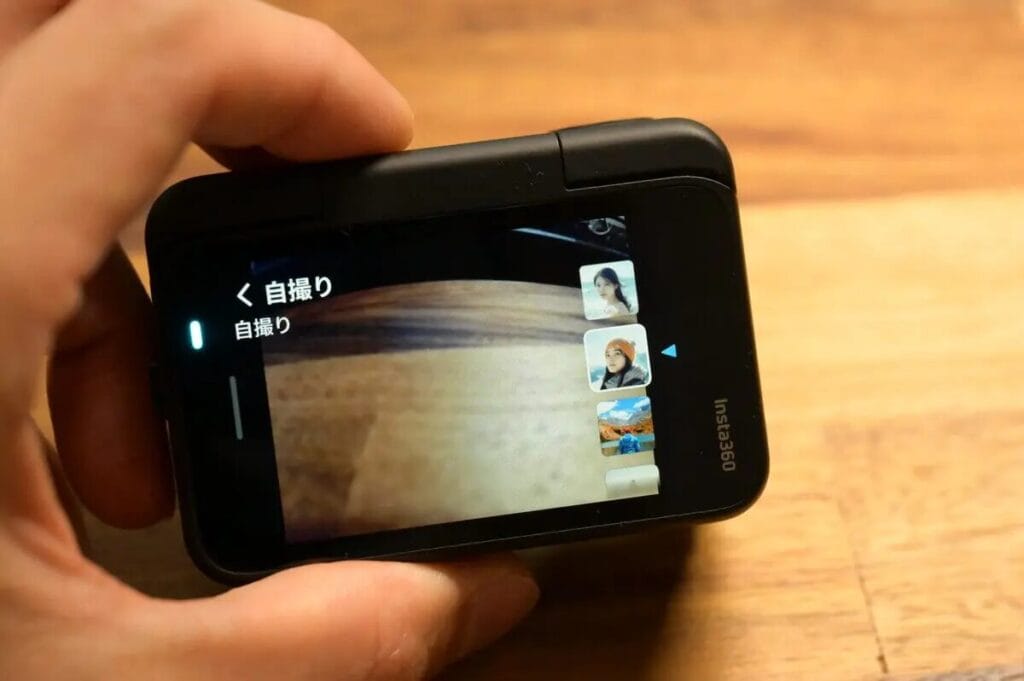
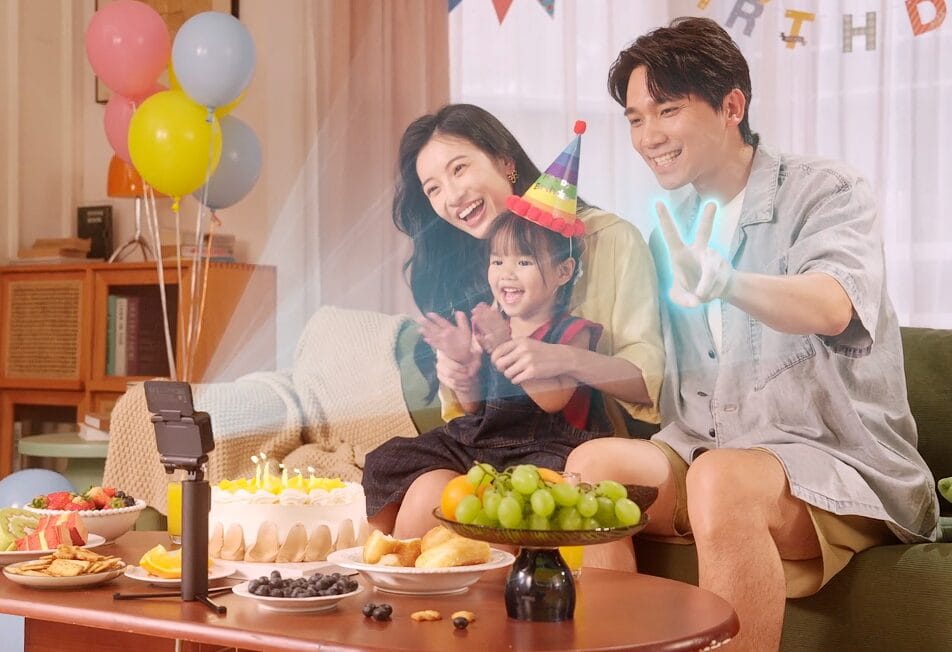
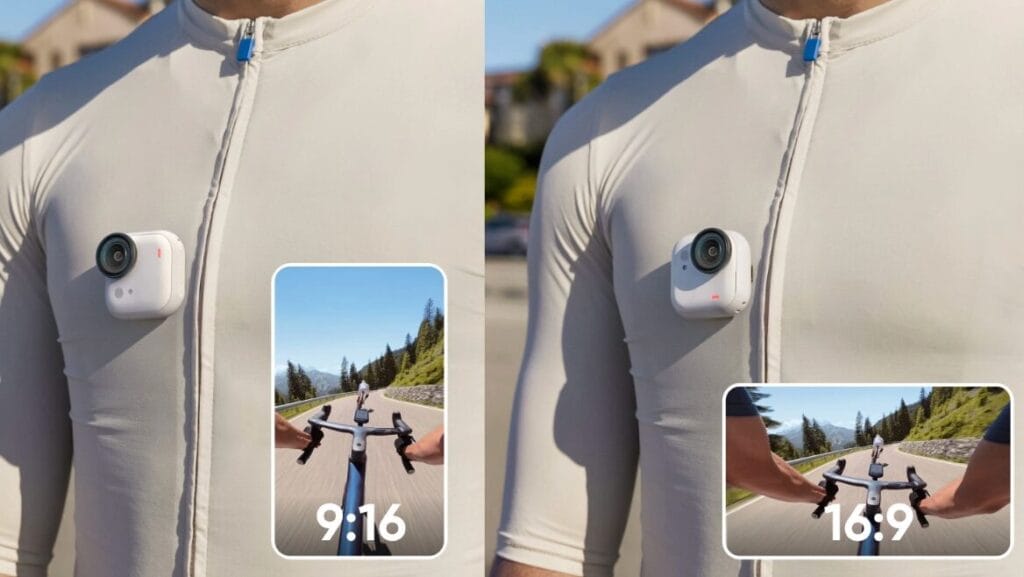
The GO Ultra supports both voice and gesture control, with a responsive touchscreen and easy switching between 9:16 and 16:9 aspect ratios. The magnetic accessory ecosystem makes multi-angle shooting effortless. Once connected to the Insta360 App, AI automatically identifies highlights, assembles clips, and adds music — drastically lowering the barrier to post-production editing.
Compact & Wearable
The Insta360 GO Ultra body weighs just 53g and adopts a “mini cube” design. While slightly heavier than its predecessor, it remains effortlessly wearable. It can be magnetically attached to clothing, hats, or backpacks to free up your hands — perfect for all-day hands-free recording. Whether mounted on objects or worn on your clothes, the GO Ultra is always ready to shoot. With the included Easy Clip and magnetic pendant, it supports first-person POV recording just like the GO 3S.
That said, the GO Ultra is visibly larger than the GO 3S — which may give some users pause.

Bigger Body, But Better to Use
I expected the larger body to feel cumbersome — but in practice, the GO Ultra is actually easier to use than the GO 3S. Here’s why:
Slimmer body → more stable center of gravity
Larger magnetic surface → stronger, more secure attachment
New mounting system → more mounting positions available, greater flexibility
Yes, the weight increased by 14g — but the spec upgrades and image quality improvements turn that potential drawback into a net positive. You can tell the Insta360 engineering team put enormous thought into the size change, ultimately landing on a balance point that feels just right.
GO Ultra Drawbacks
The main drawbacks of the Insta360 GO Ultra include heat buildup during extended recording sessions, a non-replaceable built-in battery, and the Action Pod’s IPX4 splash resistance — which means it is not waterproof for underwater use. In particular, during 4K/60fps recording, overheating may occur after 60+ minutes of continuous shooting. For long-form Vlog recording, the Action Pod is needed to extend shooting time, as the camera body alone cannot sustain prolonged continuous recording.
- Overheating
Continuous recording at high resolutions like 4K/60fps can cause the camera body to overheat. Long shooting sessions require pairing with the Action Pod to extend recording time. Personally, I find the GO Ultra’s heat issue far less impactful than the DJI Osmo Nano — it doesn’t meaningfully affect day-to-day use.
- Built-In Battery
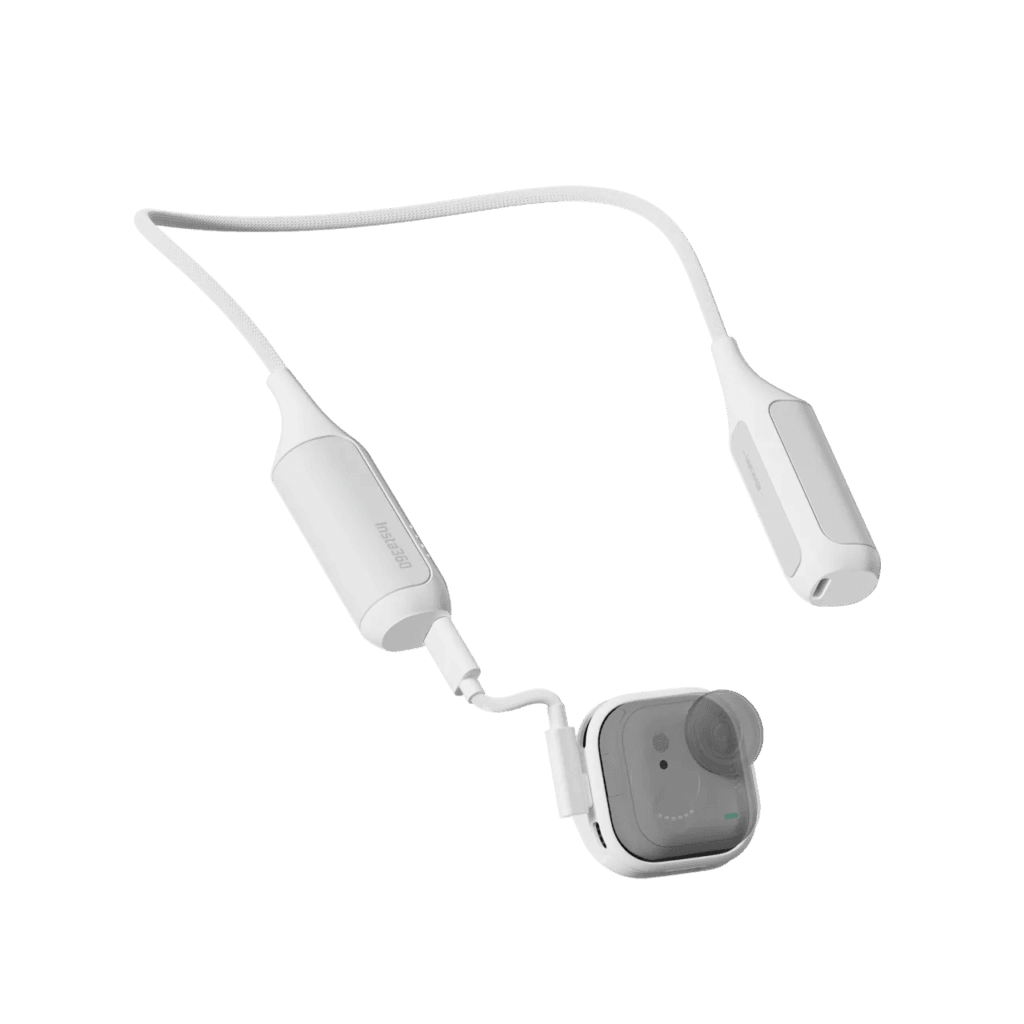
The camera uses a sealed internal battery that cannot be swapped out. If it runs out, you’ll need to charge before continuing. To charge and record simultaneously, consider the POV Recording Battery Bundle or the Mini Power Handle.
- Water Resistance
The camera body itself is IPX8 waterproof, but the Action Pod is only IPX4 splash-resistant. This means you cannot shoot underwater while using the Action Pod. The camera alone supports underwater recording, and with the optional Dive Case, it supports depths up to 60 meters.
Insta360 GO Ultra vs GO 3S: Full Specs Comparison
| GO Ultra | GO 3S | |
|---|---|---|
 | 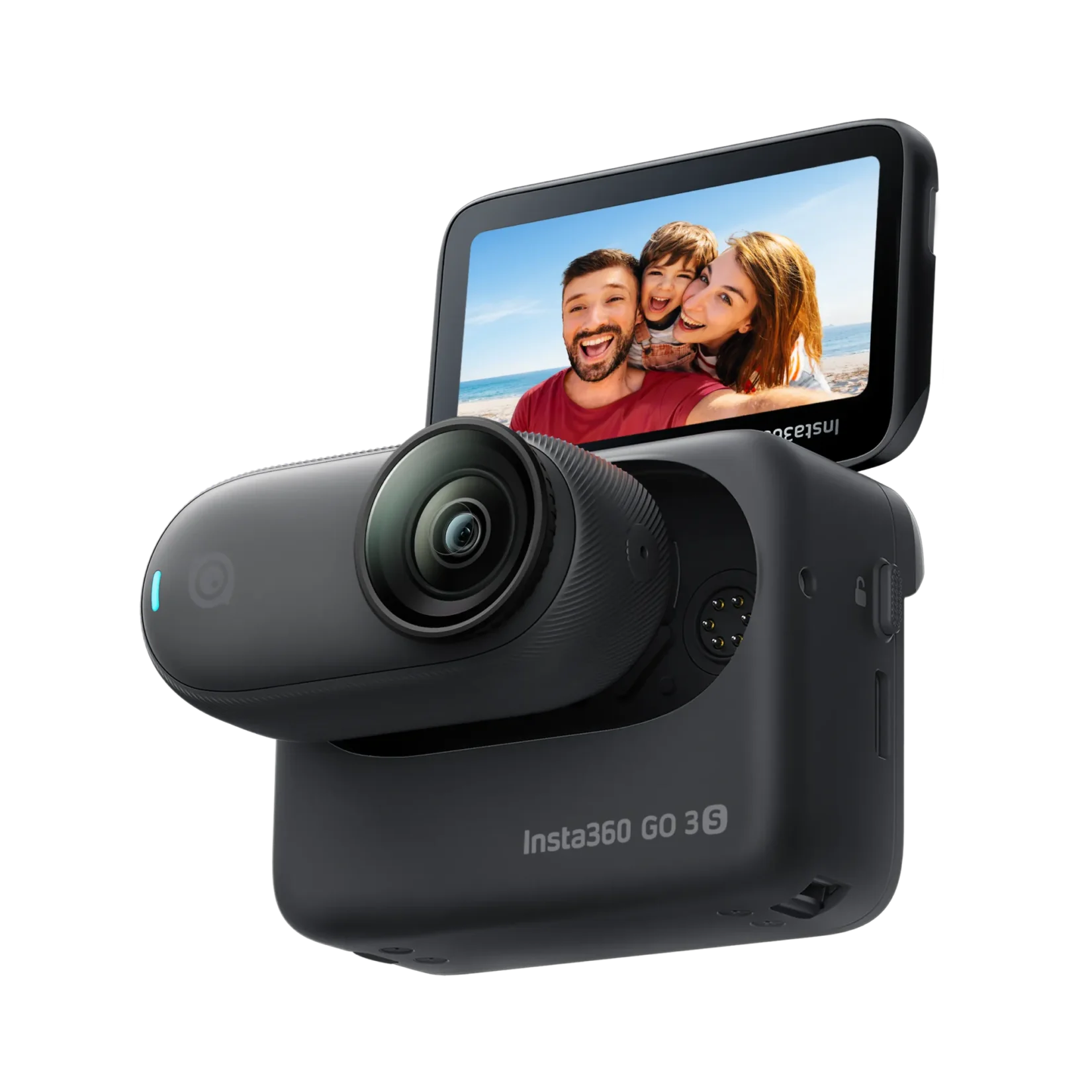 | |
| Price | USD 449.99 | USD 294.99 |
| Sensor Size | 1/1.28″ | 1/2.3″ |
| Chip | 5nm AI Chip | 14nm Chip |
| Max Video Resolution | 4K@60fps | 4K@30fps |
| Storage | microSD card slot added | Built-in storage |
| Max FOV | 156° | 150° |
| Battery Life | Camera only: 70 min Camera + Action Pod: 200 min | Camera only: 38 min Camera + Action Pod: 140 min |
| 80% Fast Charge | Camera only: 12 min Camera + Action Pod: 18 min | Camera only: 23 min Camera + Action Pod: 47 min |
| Screen Size | 2.5″ Flip Touchscreen | 2.2″ Flip Touchscreen |
| Weight | Camera only: 53g Camera + Action Pod: 161g | Camera only: 39g Camera + Action Pod: 135g |
| Waterproofing | Camera only: 10m waterproof | Camera only: 10m waterproof |
| Audio Modes | Smart Wind Reduction / Sport Wind Reduction / Voice Boost / Natural Sound | Wind Reduction / Stereo / Directional Boost |
| Ambient Light Sensor | ✅ | |
| Pure Video (Night Mode) | ✅ | |
| 4K HDR | ✅ | |
| 4K Lossless Zoom | ✅ |
Insta360 GO Ultra Bundles: Which One Should You Choose?
What Bundles Are Available for the GO Ultra?
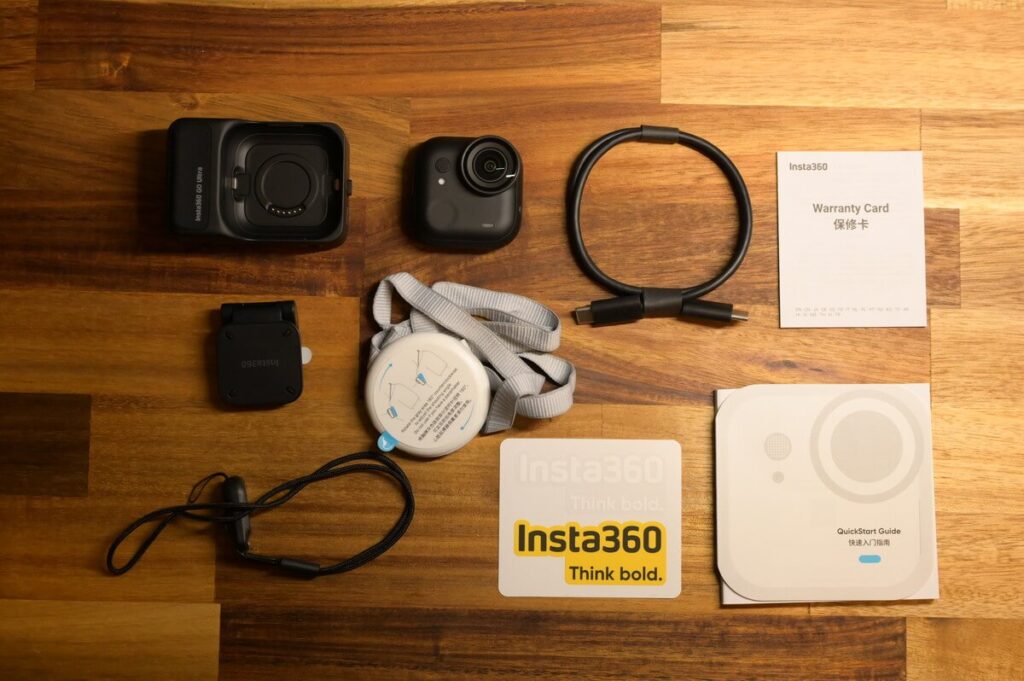
The GO Ultra Standard Bundle includes the following accessories:
- GO Ultra Camera
- Action Pod
- USB-C Charging Cable
- Magnetic Easy Clip
- Magnetic Pendant
- Lens Guard (pre-installed)
- Quick-Release Safety Cord
- Stickers
- User Manual
The current lineup includes: Standard Bundle, Creator Bundle, Running Bundle, Vlogger Bundle, Cycling Bundle, and Family Bundle. While slightly fewer options than the GO 3S, the new Running Bundle reflects how popular the GO series has become among runners. The Standard Bundle comes with the camera and essential accessories — ready to use right out of the box. If you want to explore more shooting angles and styles, you may find it a bit limited.
Below is a summary of what each bundle adds beyond the Standard Bundle. Notably, all GO Ultra bundles except the Standard Bundle include the Quick Release Mount — an accessory I highly recommend. Its dual-magnet design with a locking buckle system ensures the GO Ultra stays firmly and safely in place.

| Bundle | What’s Included | Best For | |
| Standard Bundle | 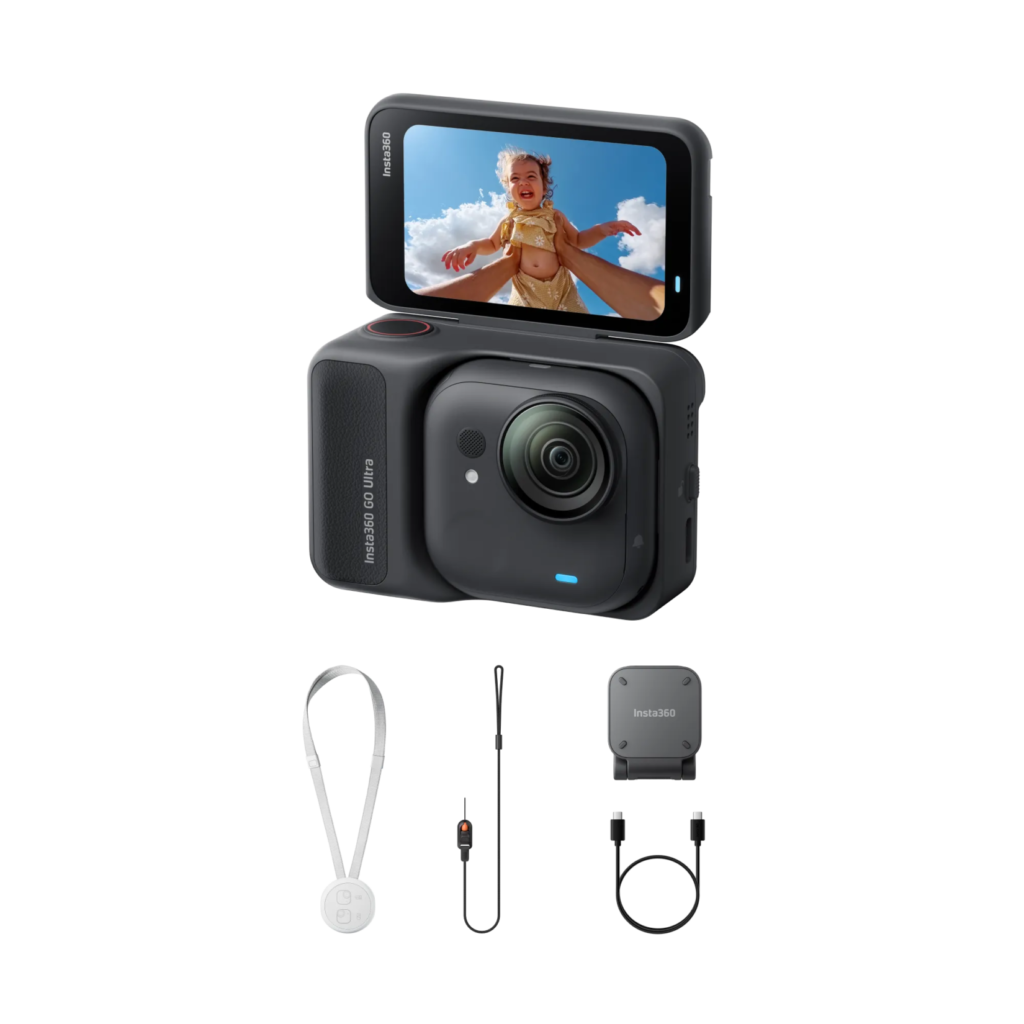 | GO Ultra, Safety Cord, Easy Clip, Magnetic Pendant | Everyday casual Vlogging 📷 |
| Creator Bundle |  | GO Ultra, Safety Cord, Easy Clip, Magnetic Pendant + Quick Release Mount, Mini 2-in-1 Tripod, Pivot Stand | In-depth Vlogging, multi-angle shooting 📹 |
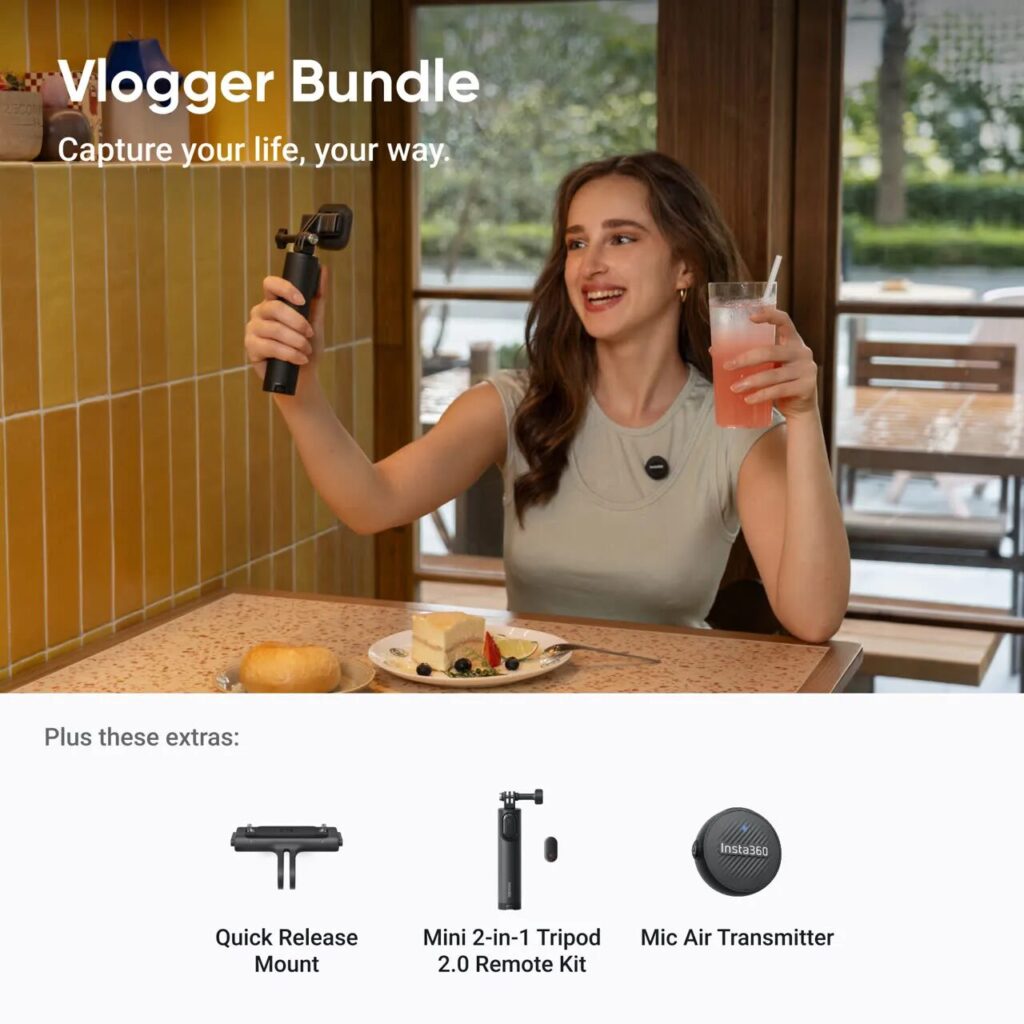
| Vlogger Bundle | 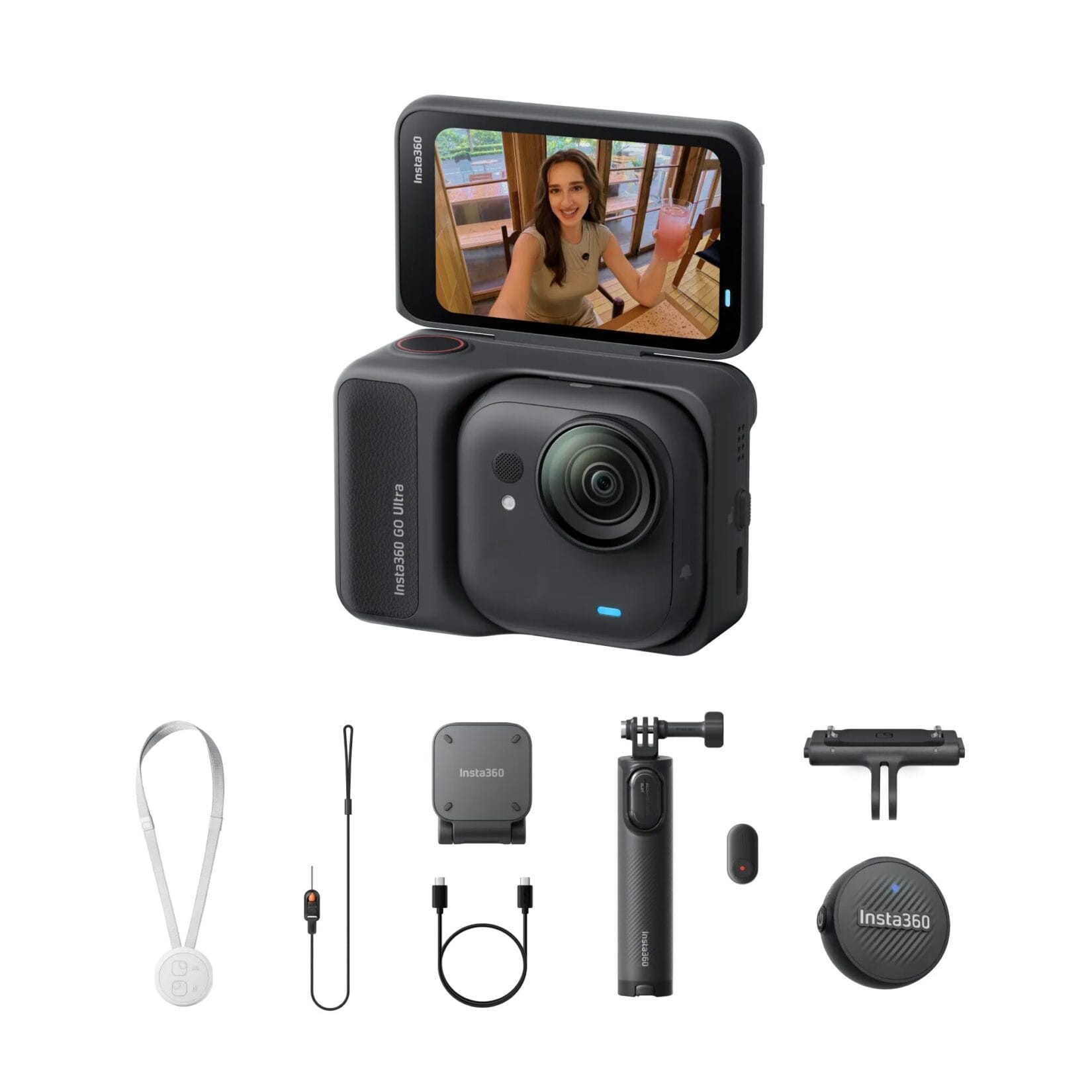 | GO Ultra, Safety Cord, Easy Clip, Magnetic Pendant + Quick Release Mount, Mini 2-in-1 Tripod, Mic Air | External mic Vlogging 📷 |
| Snap & Shoot Bundle | 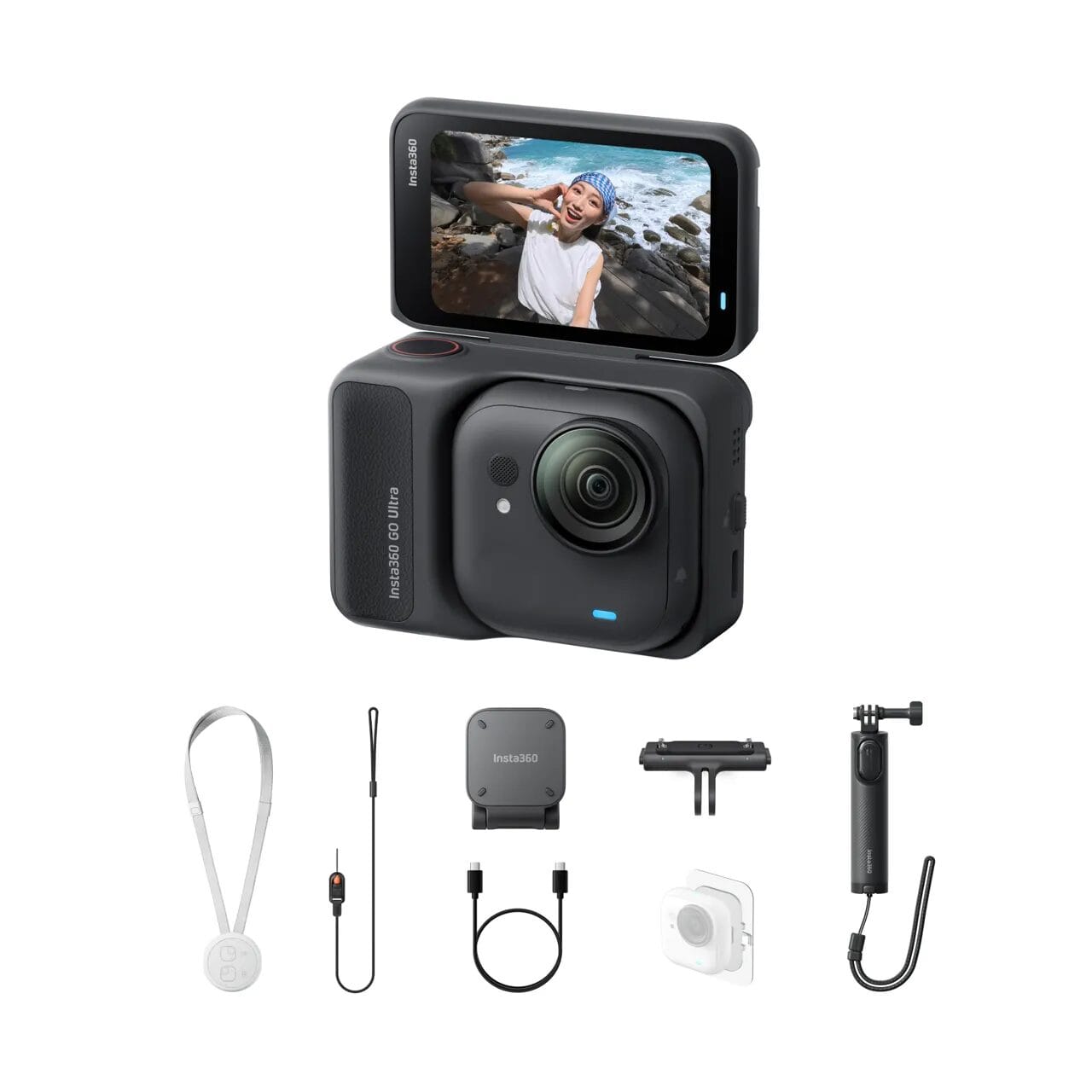 | GO Ultra, Safety Cord, Easy Clip, Magnetic Pendant + Quick Release Mount, Mini 2-in-1 Tripod, Sticky Tabs (3-pack) | Stick-anywhere recording 📷 |
| Running & Hiking Bundle | 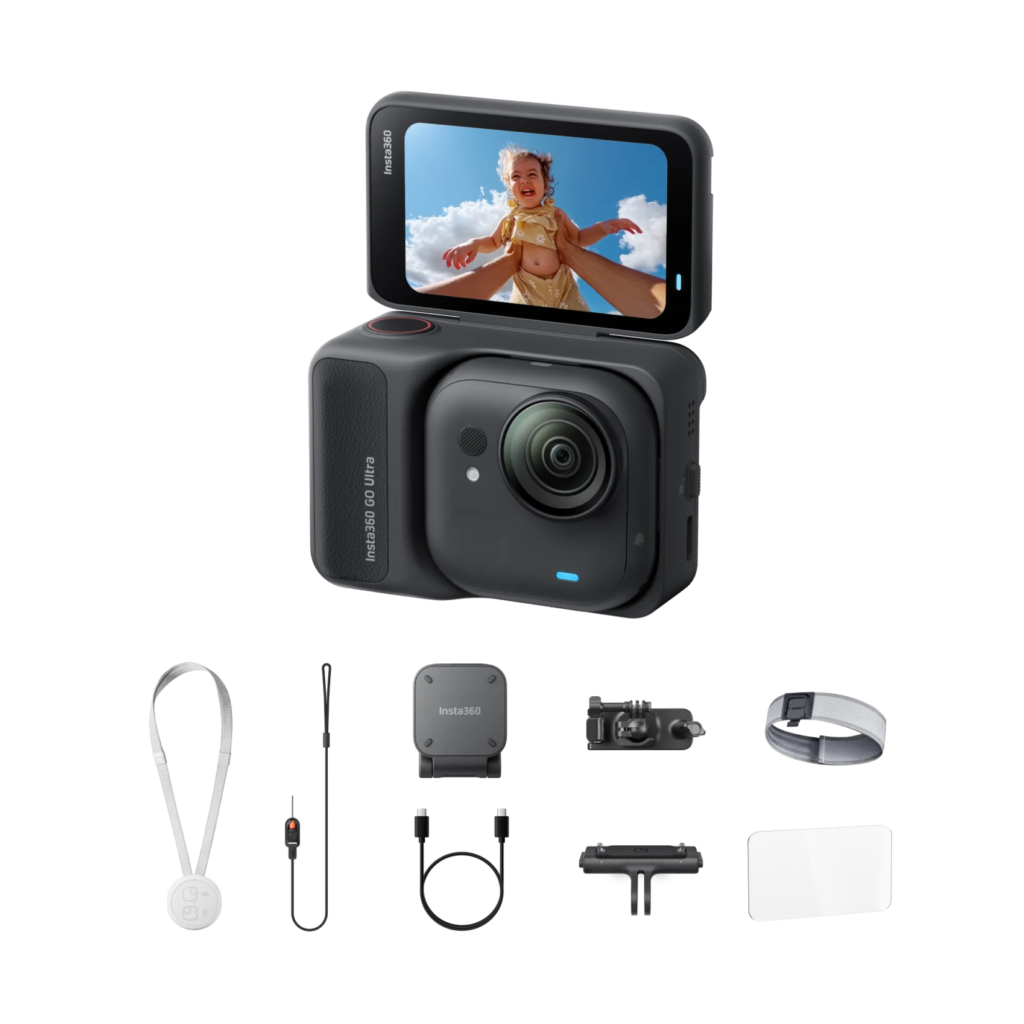 | GO Ultra, Safety Cord, Easy Clip, Magnetic Pendant + Quick Release Mount, Screen Protector, Easy Clip Headband, Backpack Clip | Running 🏃, Hiking ⛰️ |
| Cycling Bundle |  | GO Ultra, Safety Cord, Easy Clip, Magnetic Pendant + Quick Release Mount, Screen Protector, Flexi Strap Mount, Action Mount | Cycling 🚴 |
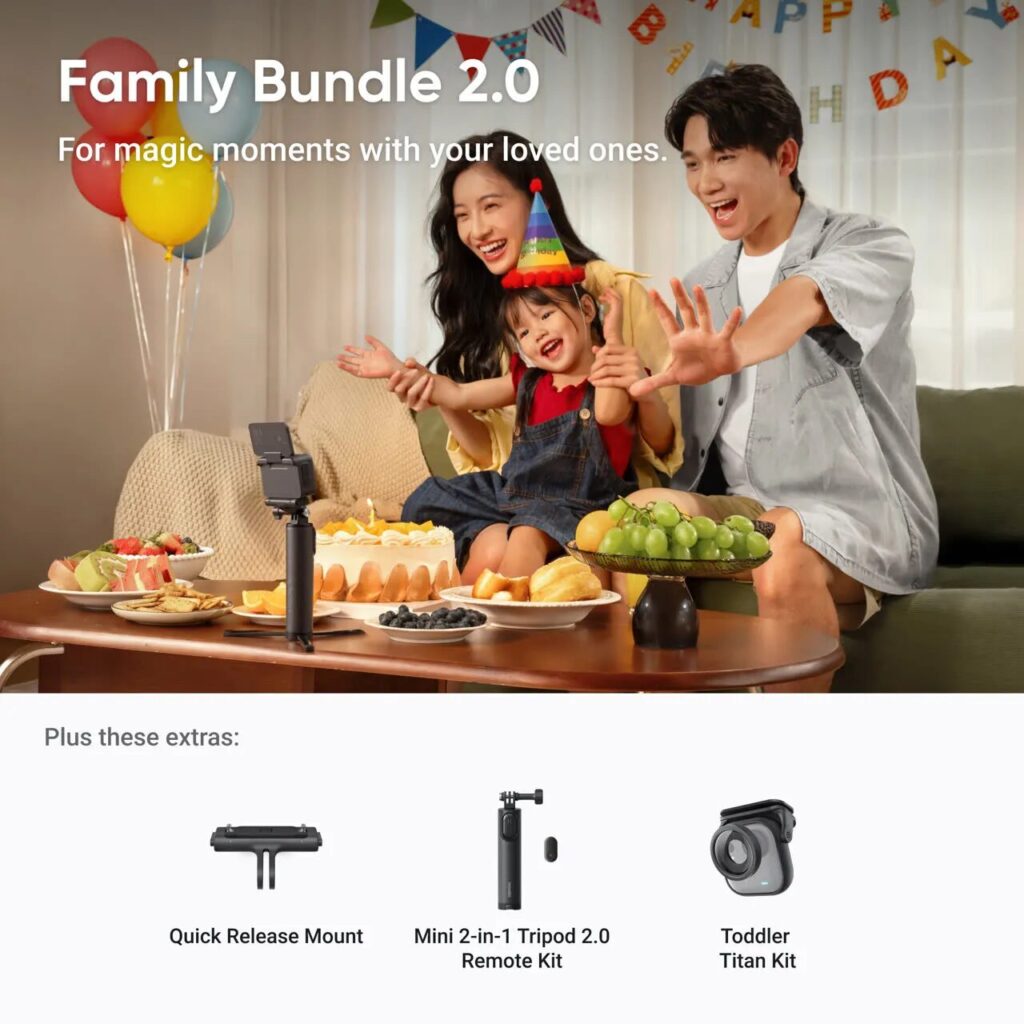
| Family Bundle | 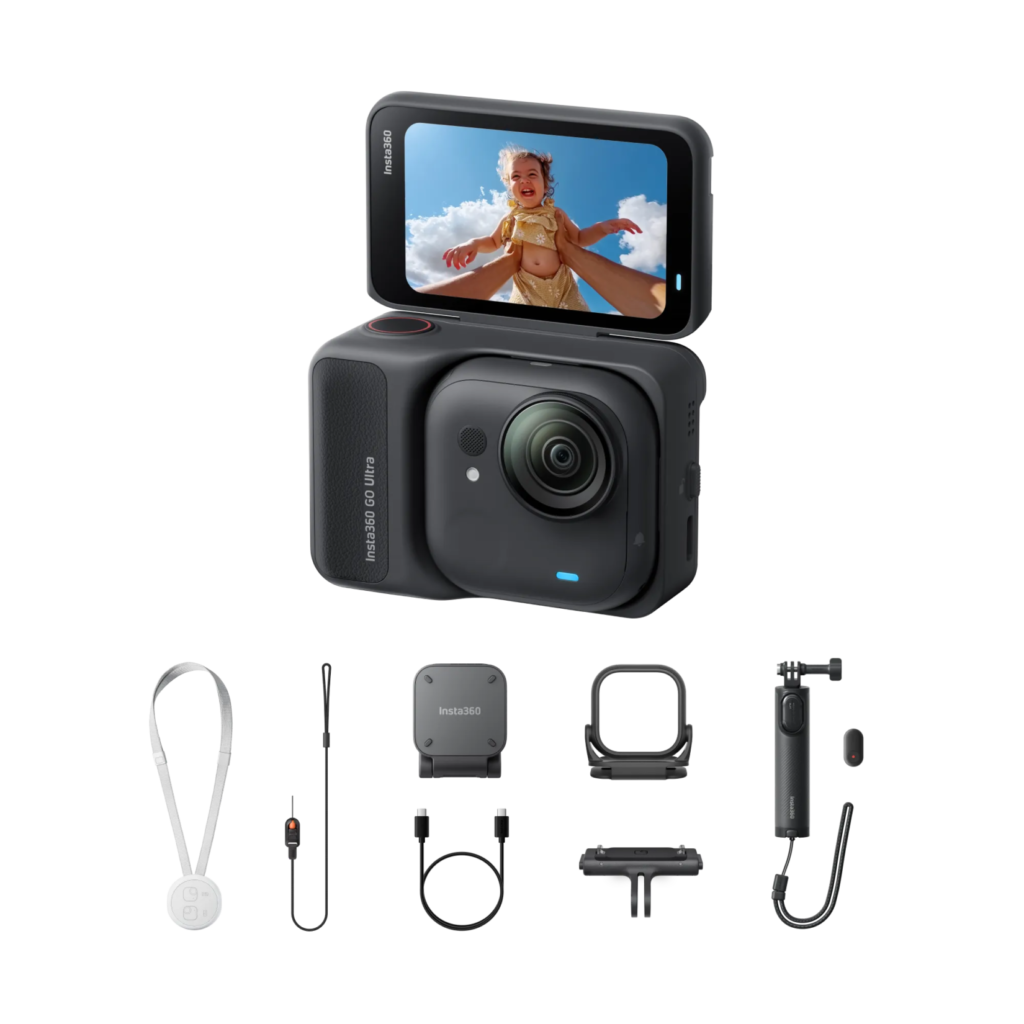 | GO Ultra, Safety Cord, Easy Clip, Magnetic Pendant + Quick Release Mount, Mini Tripod Remote Bundle, Baby Hat Clip | Recording baby’s POV 👶 |
Creator Bundle
Designed for dedicated Vloggers — includes the three most-used accessories: Quick Release Mount, Mini 2-in-1 Tripod, and Pivot Stand
| Included Accessories | |
| Quick Release Mount |  |
| 2nd Gen Mini 2-in-1 Tripod |  |
| Pivot Stand |  |
Vlogger Bundle
Built for Vlogging with an external microphone — includes the popular Insta360 Mic Air
| Included Accessories | |
| Quick Release Mount | |
| 2nd Gen Mini 2-in-1 Tripod | 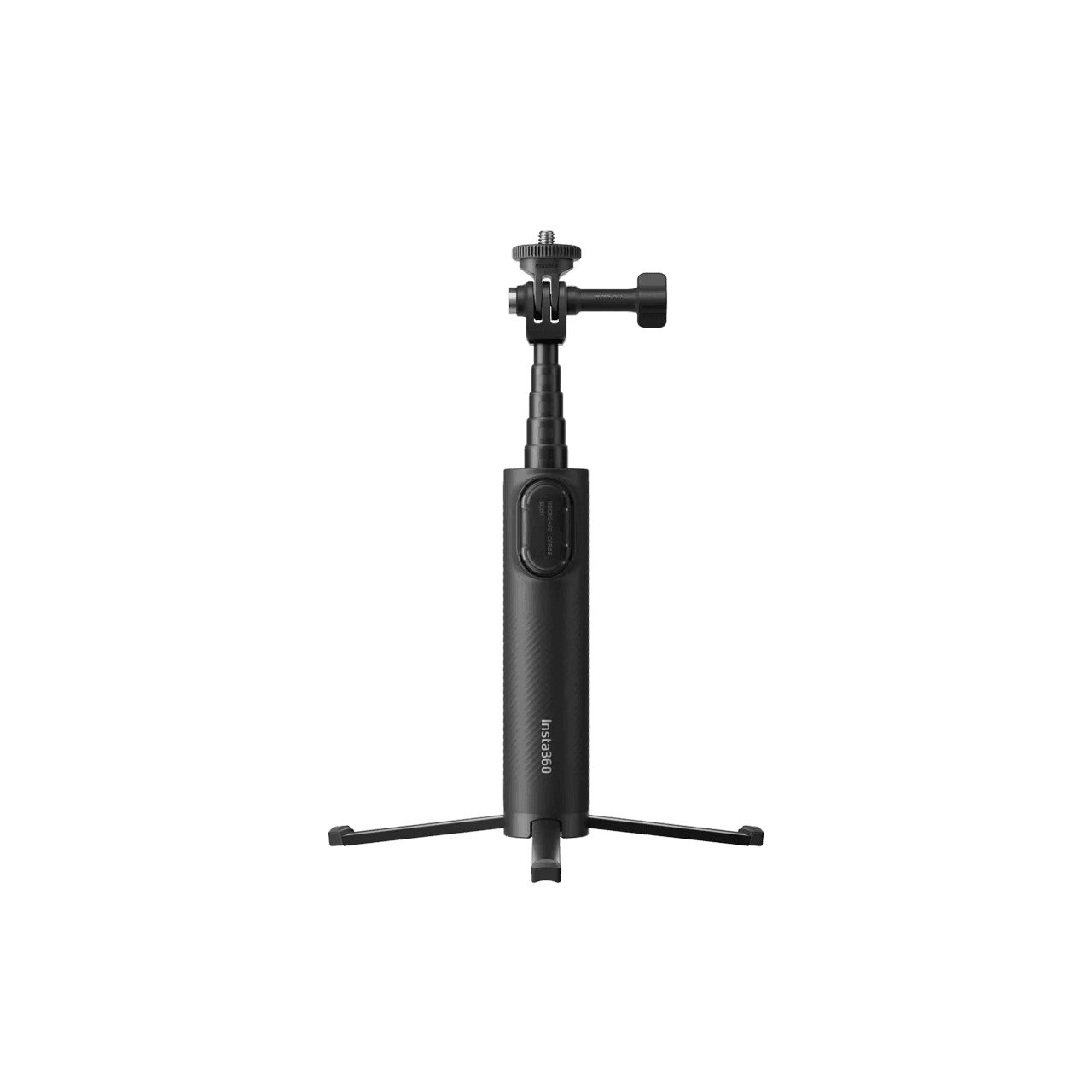 |
| Mic Air | 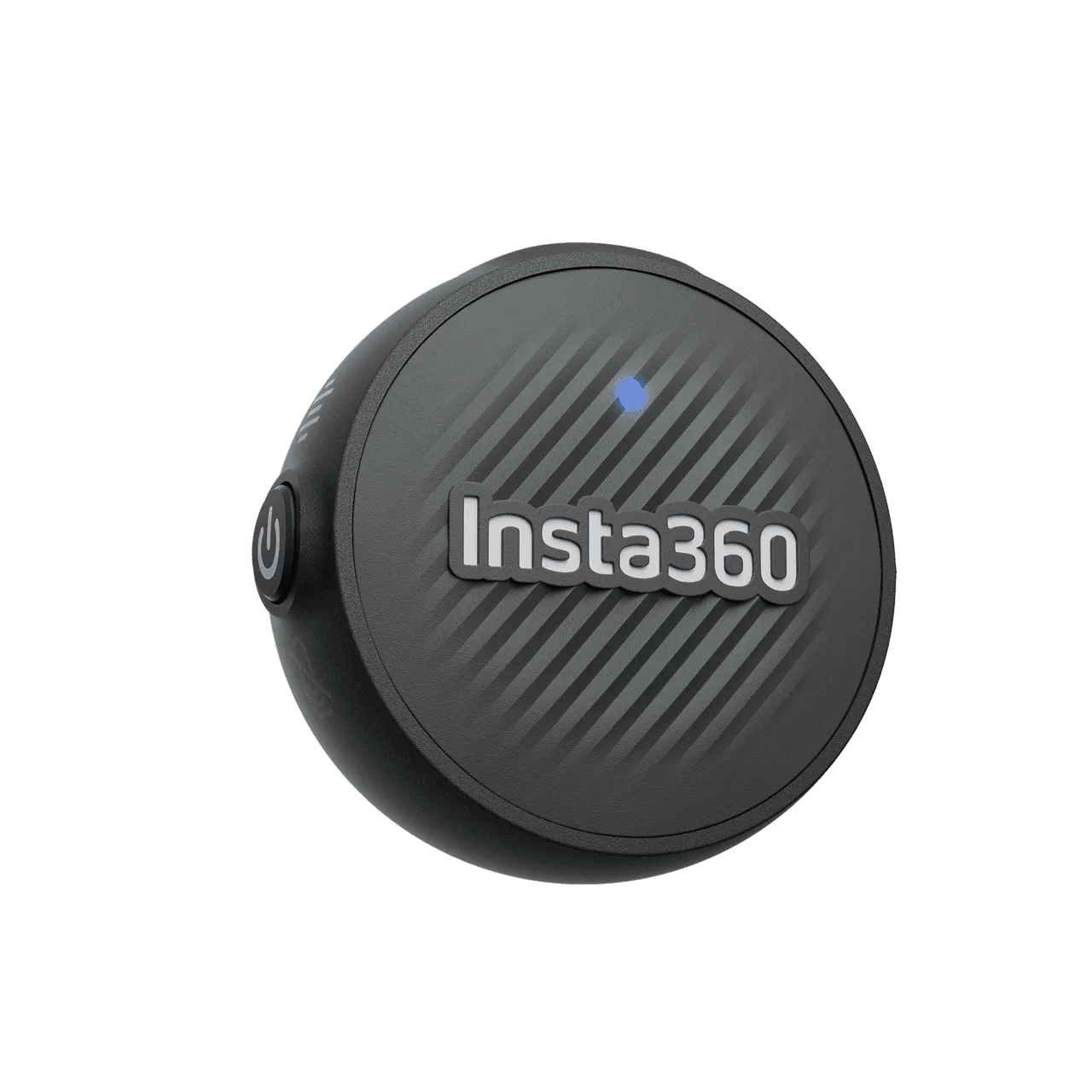 |
Snap & Shoot Bundle
Includes Sticky Tabs to unlock new shooting angles
| Included Accessories | |
| Quick Release Mount | |
| 2nd Gen Mini 2-in-1 Tripod | |
| Sticky Tabs (3-pack) | 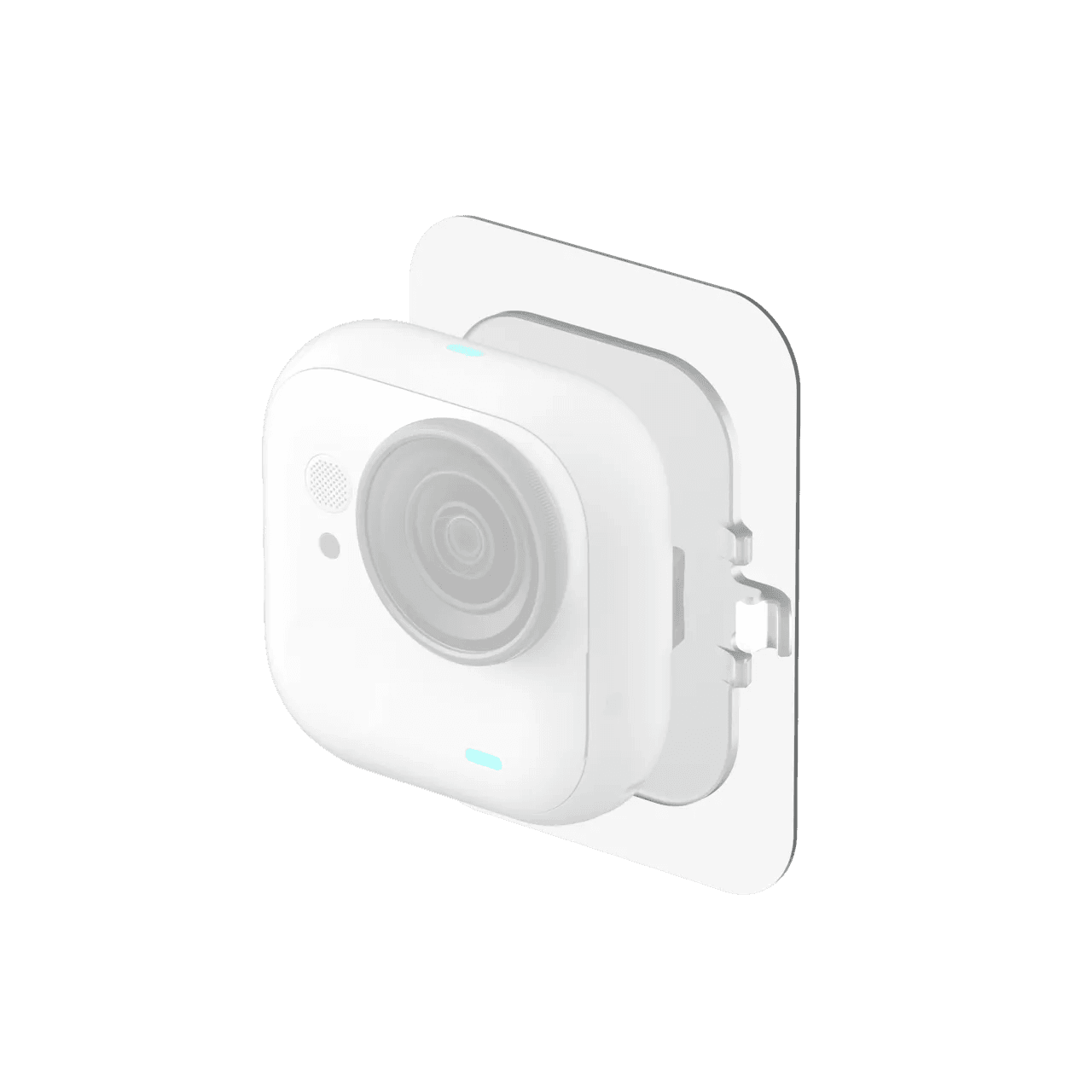 |
Running & Hiking Bundle
Everything you need to record while running
| Included Accessories | |
| Quick Release Mount | |
| Screen Protector |  |
| Easy Clip Headband |  |
| Backpack Clip |  |
Cycling Bundle
The must-have bundle for cyclists 🚴
| Included Accessories | |
| Quick Release Mount | |
| Screen Protector | |
| Flexi Strap Mount |  |
| Action Mount |  |
GO Ultra vs GO 3S: Design & Form Factor
From Thumb Camera to Mini Cube Camera
Compared to the GO 3S, the GO Ultra brings three major design changes:
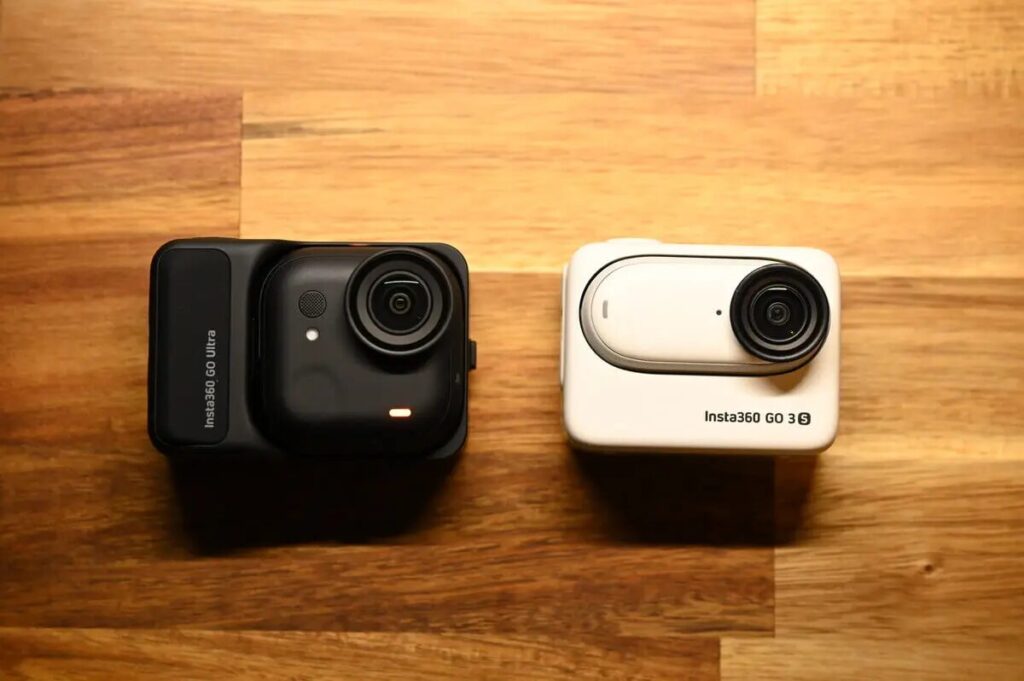
- 25% heavier than the GO 3S — shifts from a thumb camera to a mini cube design
- Thinner and more compact than the GO 3S
- Expanded accessory ecosystem
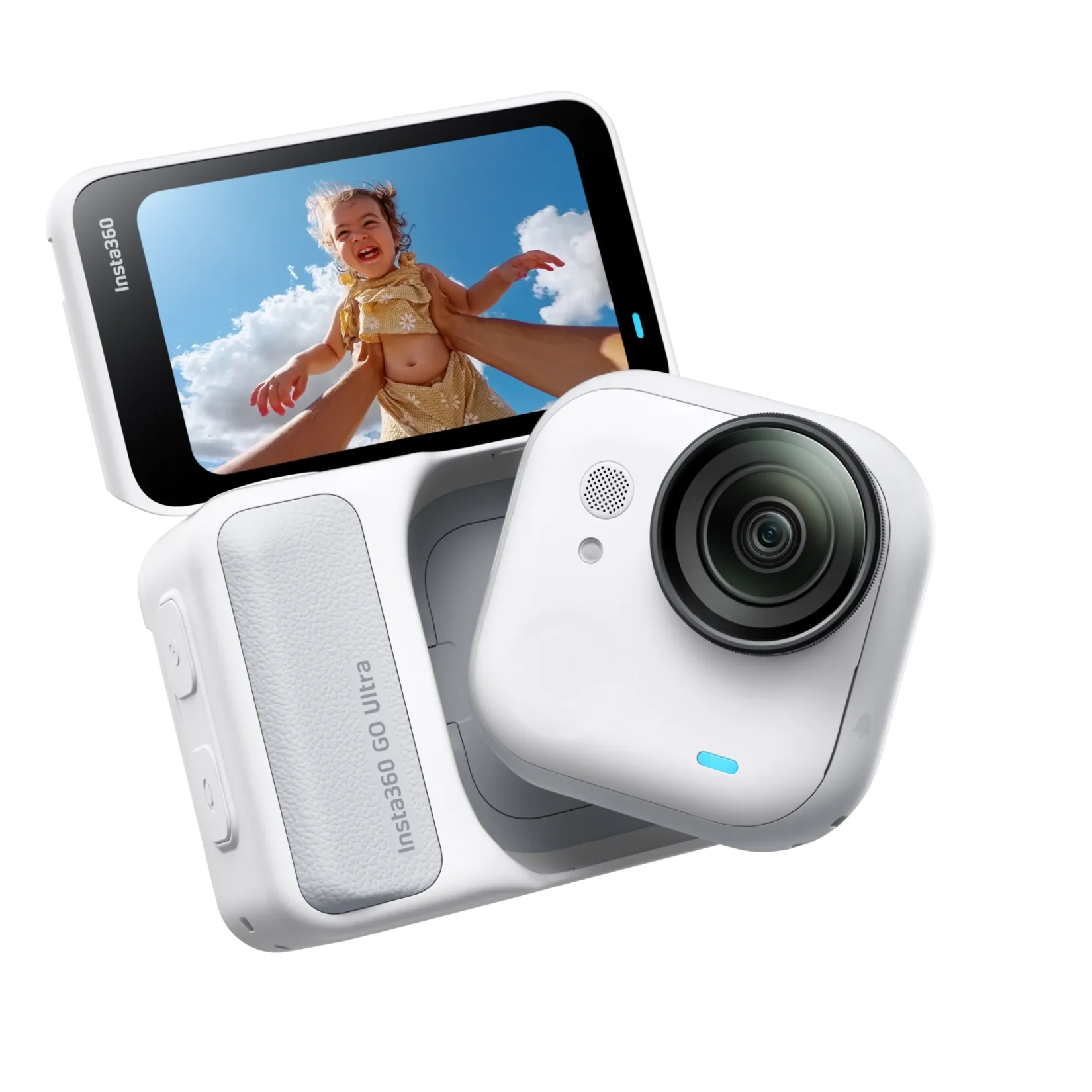
The GO 3S had a horizontal thumb-sized form factor, while the GO Ultra switches to a square shape with rounded corners
While the camera body appears about 1.5x larger visually, the actual volume increase is only around 25% — far less dramatic than it looks.
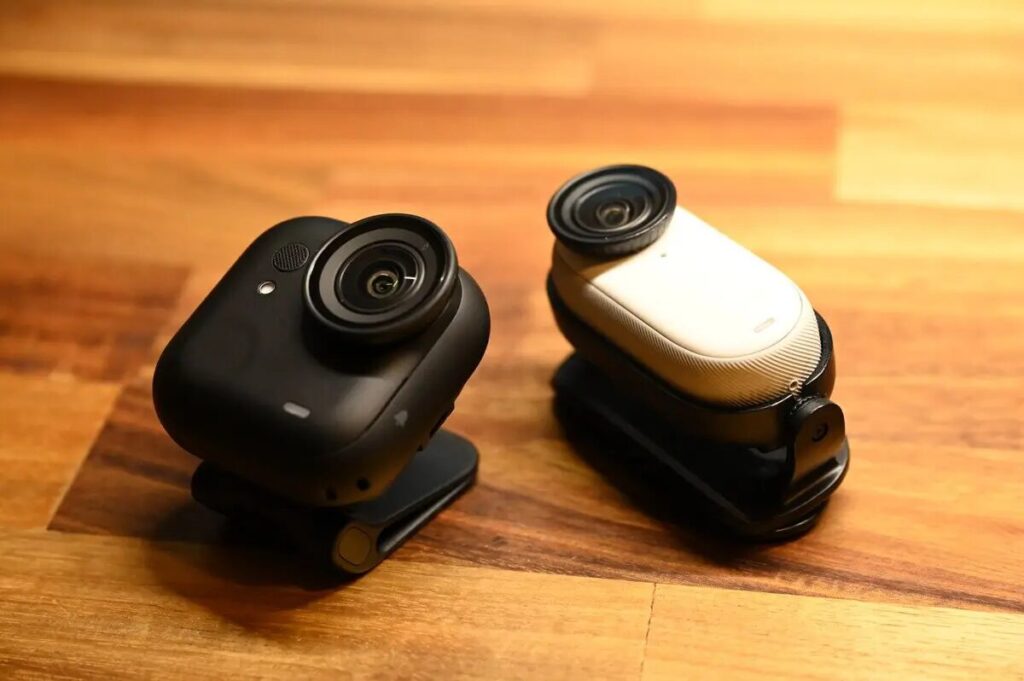
Because the GO Ultra is thinner and offers a larger magnetic contact area, it actually feels more stable and secure in use — a further refinement over the previous model.
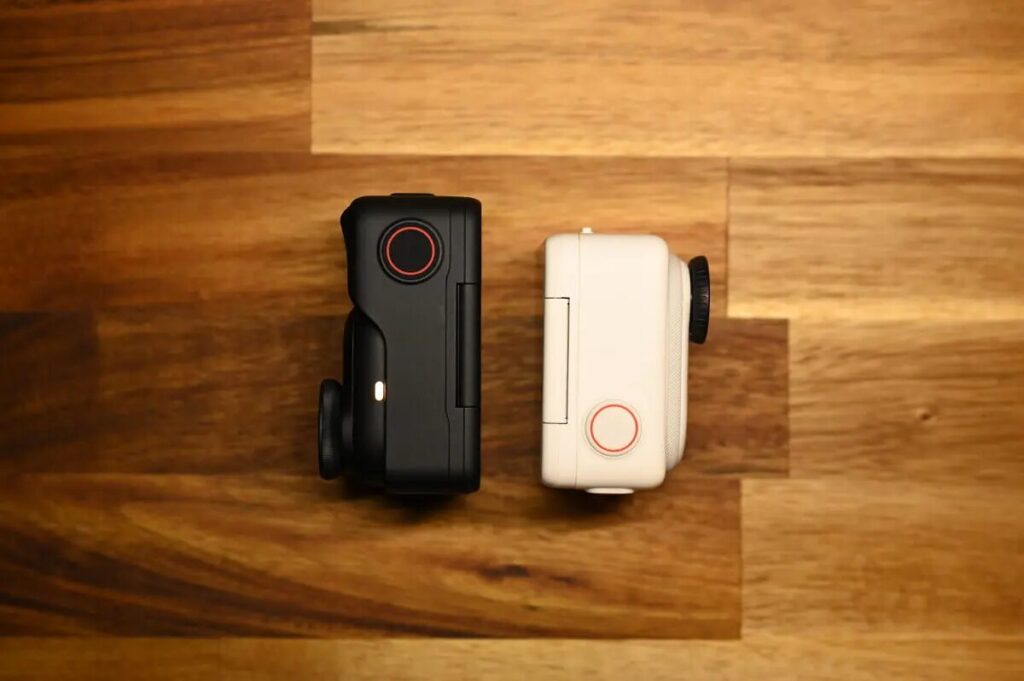
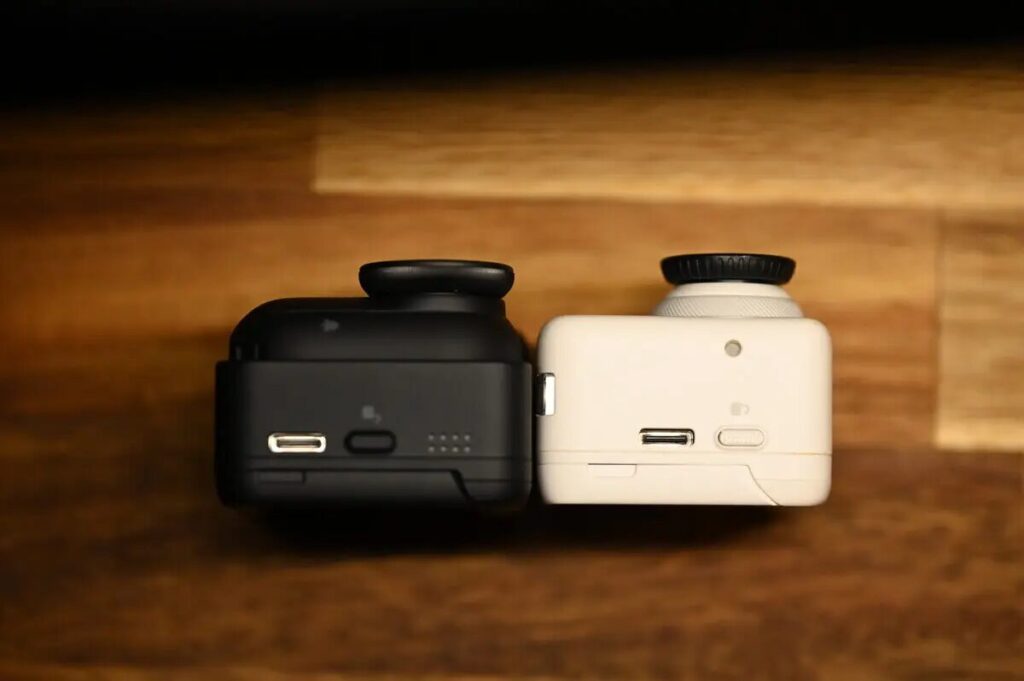
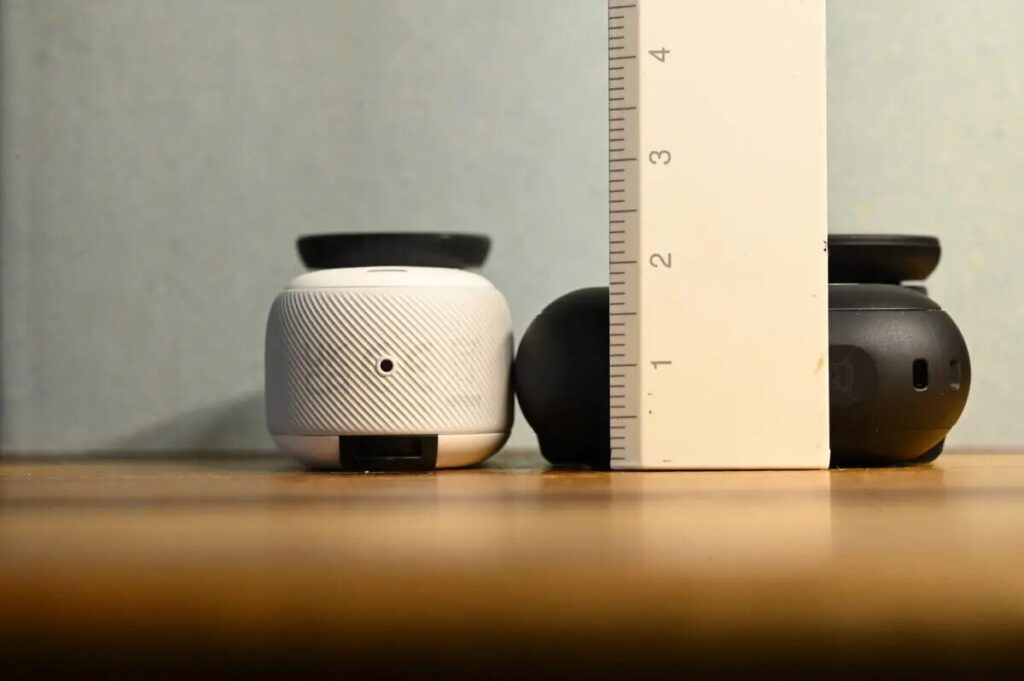
Measuring just the camera body: the GO Ultra is 18mm thick vs the GO 3S at 20mm — about 10% slimmer than its predecessor.
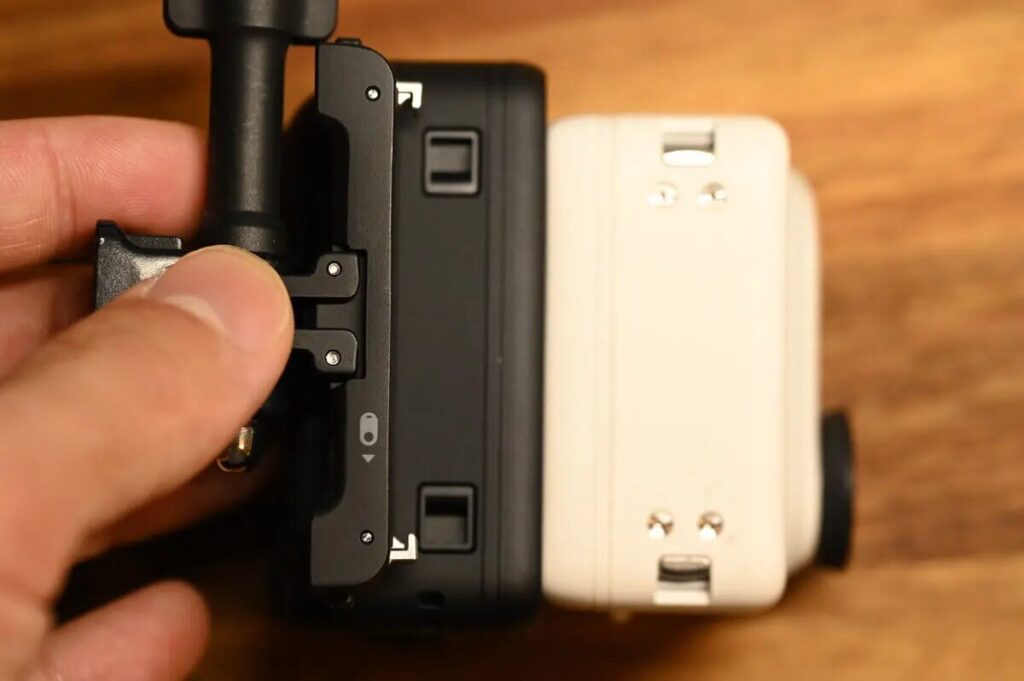
Mount & Accessory Compatibility
The GO Ultra’s quick release mount design has changed significantly. GO Ultra and GO 3S accessories are not compatible with each other.
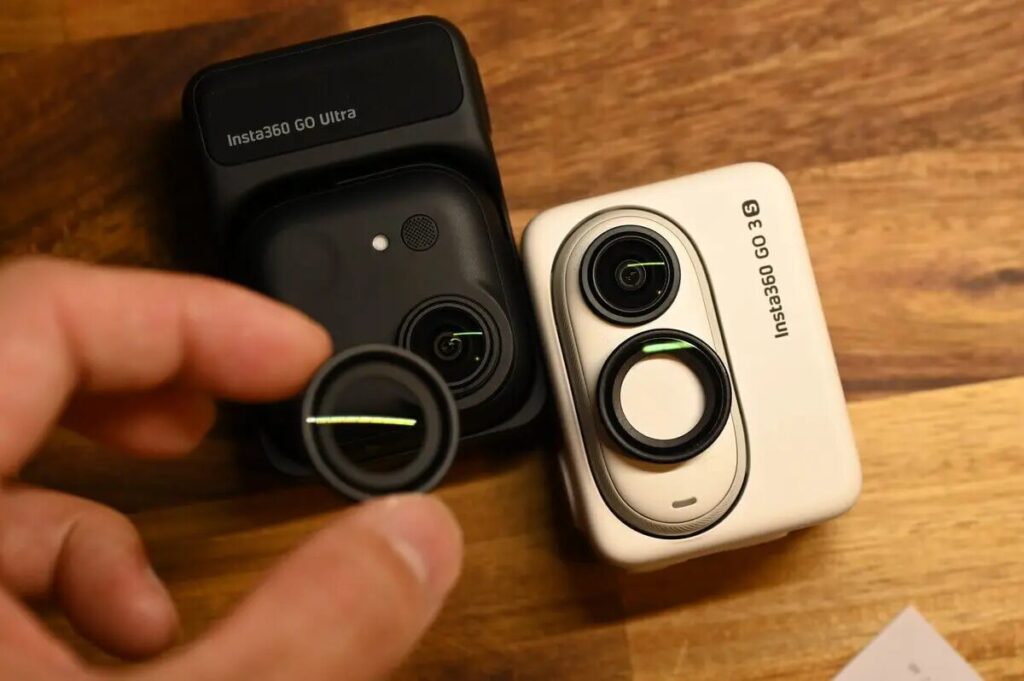
The GO 3S lens looks larger visually, but actual measurements show the GO Ultra has a slightly larger lens. Like the GO 3S, the GO Ultra also features a removable lens guard.
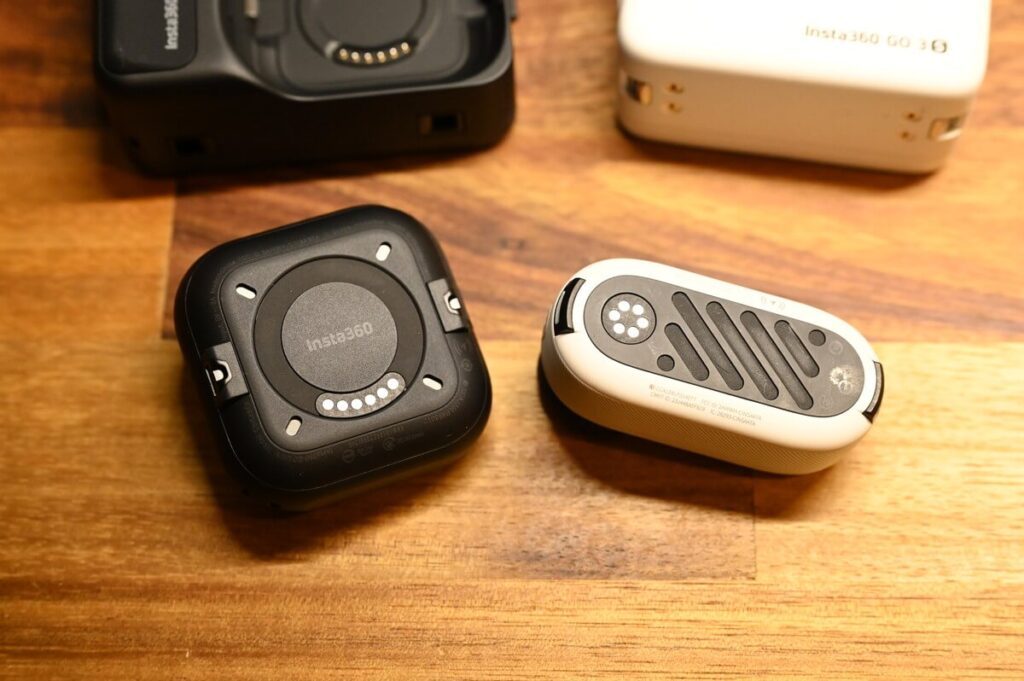
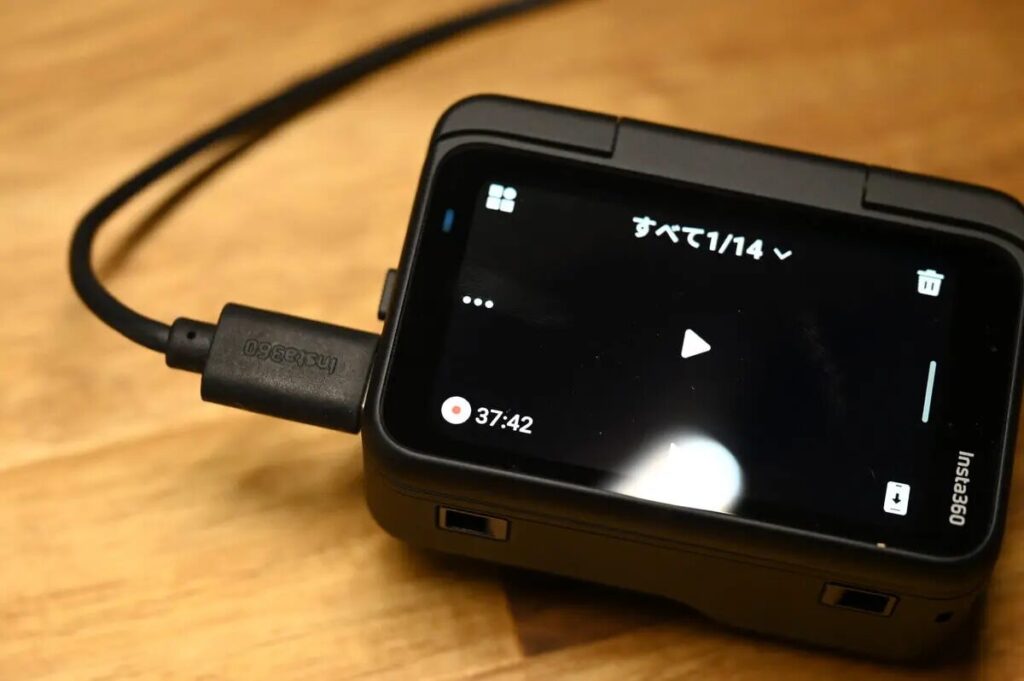
Both the GO Ultra and GO 3S use a magnetic design, with the Action Pod wirelessly charging the camera body. Because the GO Ultra’s magnetic contact area is larger, the weight increase is more than offset by improved stability. Additionally, the GO Ultra lets you remotely review recorded footage without having to dock the camera in the Action Pod.
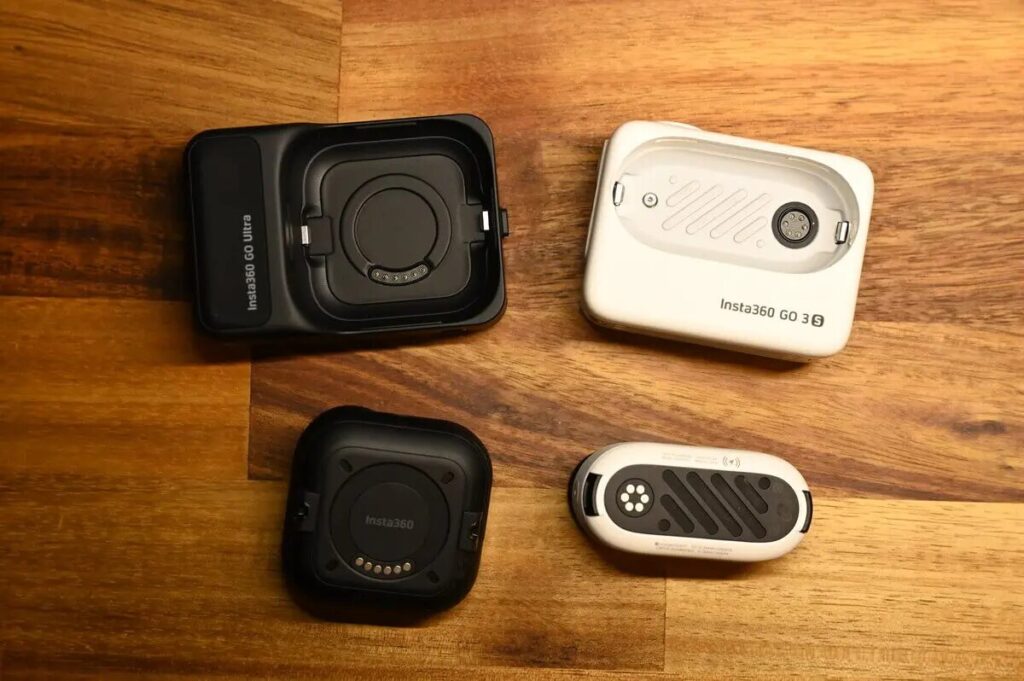
The GO 3S relied on built-in storage (128/256GB), while the GO Ultra switches to a microSD card slot. While you’ll need to provide your own card, you no longer have to agonize over which storage tier to buy — and you can always upgrade later. Much more flexible.
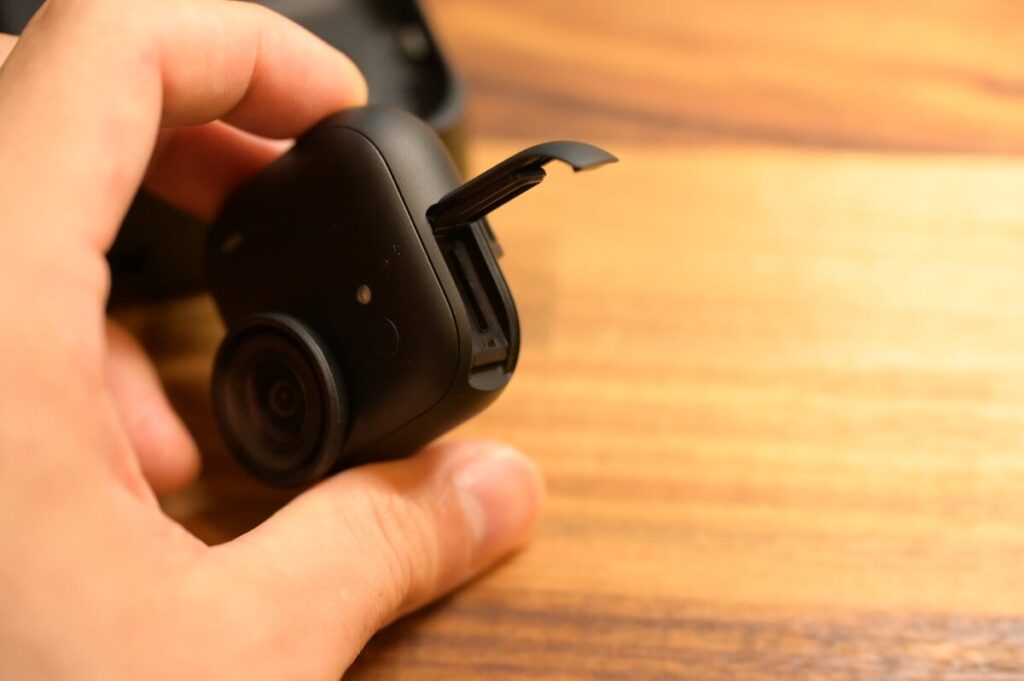
microSD Card Support
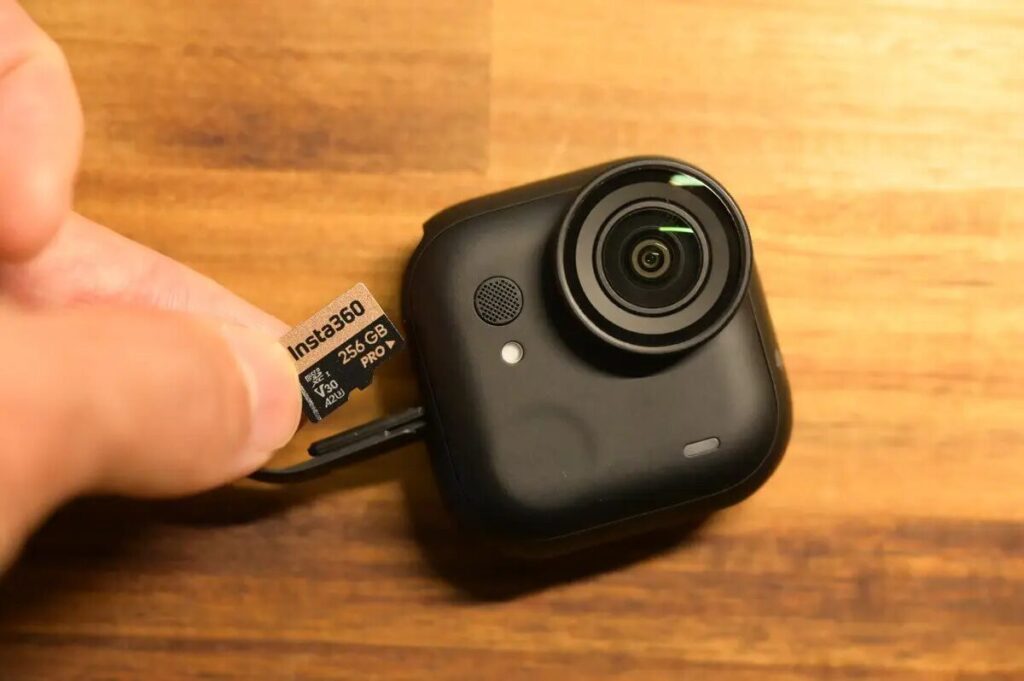
The new GO Ultra supports microSD cards up to 2TB. Compared to the GO 3S’s fixed internal storage limitation, this upgrade dramatically improves flexibility for extended shooting sessions.
The right card capacity depends on your needs, but I’d recommend 256GB as the sweet spot — at 4K/30fps, that gives you roughly 9 hours and 47 minutes of recording time, more than enough for daily shooting. 256GB also offers the best price-to-capacity ratio on the Insta360 official store — great value across the board.

Weight Comparison
Measured weights: GO Ultra 52.9g, GO 3S 39.4g — a difference of 13.5g.
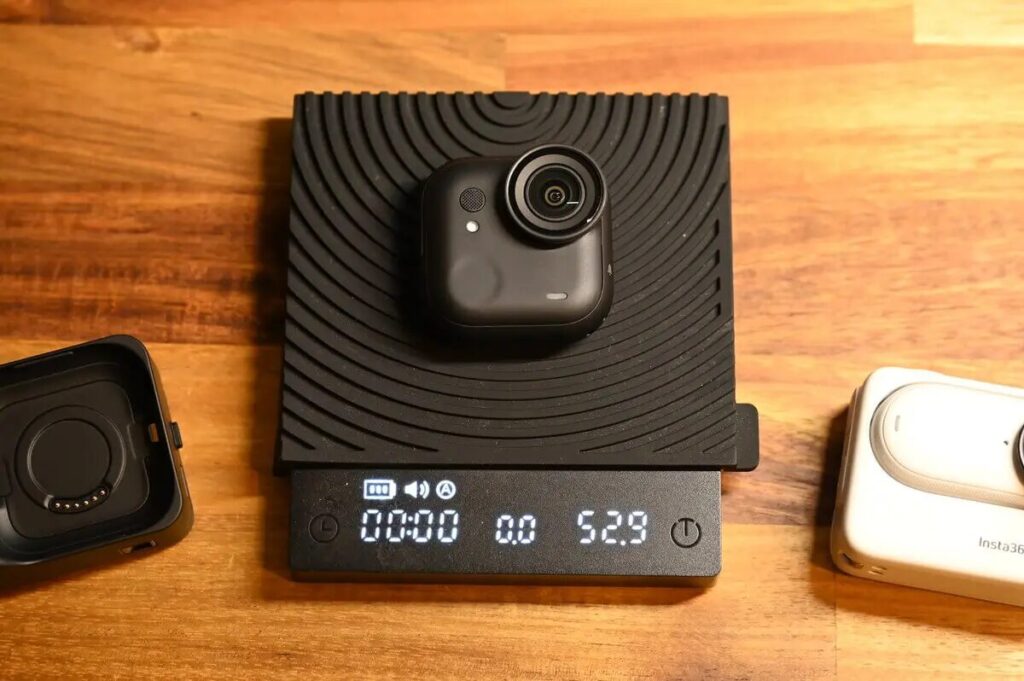
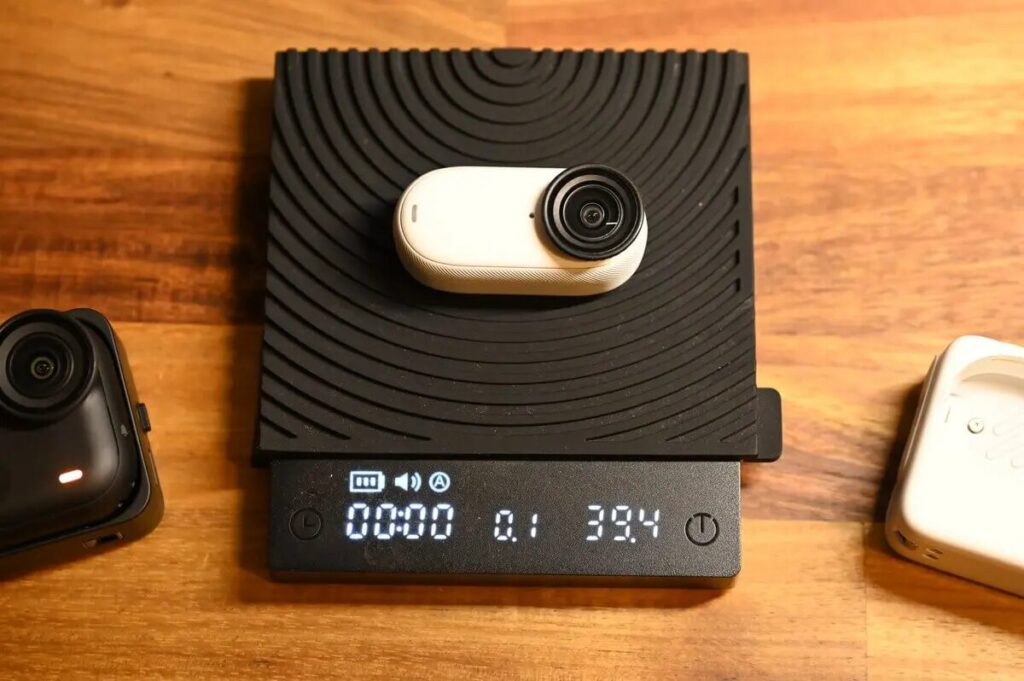
The measured weight comes in at 52.9g (official spec: 53g). With the Action Pod attached, the total measured weight is 160.9g. While it looks bigger at first glance, the weight increase is kept to roughly +25% over the camera body alone.
For reference, the Ace Pro 2 body weighs 180g — making the GO Ultra still relatively lightweight for an action camera.
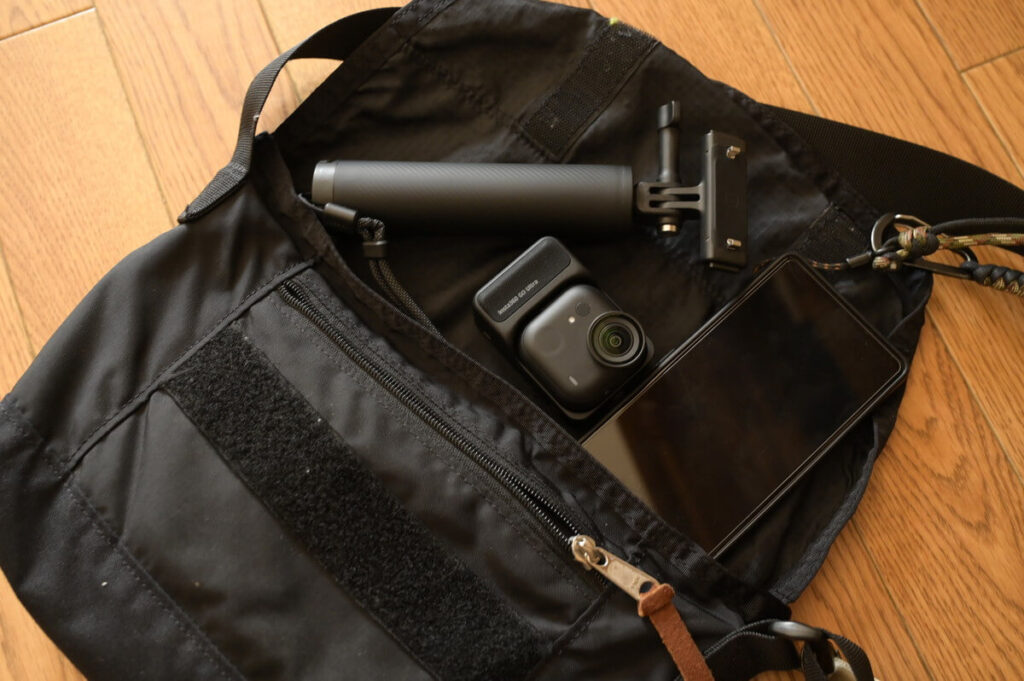
With a larger magnetic contact area and a body that’s roughly 10% thinner than the GO 3S, the center of gravity is actually more stable than before.
Battery Life Comparison
| GO Ultra | GO 3S | |
|---|---|---|
| 1080P | 70 min (body only) 200 min (with Action Pod) | 38 min (body only) 140 min (with Action Pod) |
| 4K 30fps | 60 min (body only) 170 min (with Action Pod) | N/A |
Battery life has improved dramatically — standalone recording time is nearly doubled compared to the GO 3S. Even at 4K, you can record close to an hour continuously — more than sufficient for everyday Vlogging.
GO Ultra vs GO 3S: Video Quality Comparison
Image Quality Upgrade vs GO 3S
Daytime Video Quality
For daytime 4K shooting, I enabled the GO Ultra’s HDR mode (recommended for most scenarios — a great default setting). In testing, the GO Ultra produced images with noticeably richer light-and-shadow gradation and depth — whether capturing cloud shadows or the vivid greens of rice paddies. This is a direct result of the larger sensor’s ability to gather more light detail.
Low-Light & Night Video Quality — Pure Video Mode
Thanks to the Pure Video night mode, the GO Ultra handles low-light environments significantly better than the GO 3S — light processing is cleaner and more natural.
It even holds its own against the Ace Pro 2, the reigning king of low-light action camera footage:
Image Quality vs Ace Pro 2
From my hands-on testing, the GO Ultra’s image quality comes remarkably close to the Ace Pro 2. Colors are vivid and accurate, and it delivers the same wide-angle field of view as a traditional action camera — bringing a real sense of immersion to your footage.
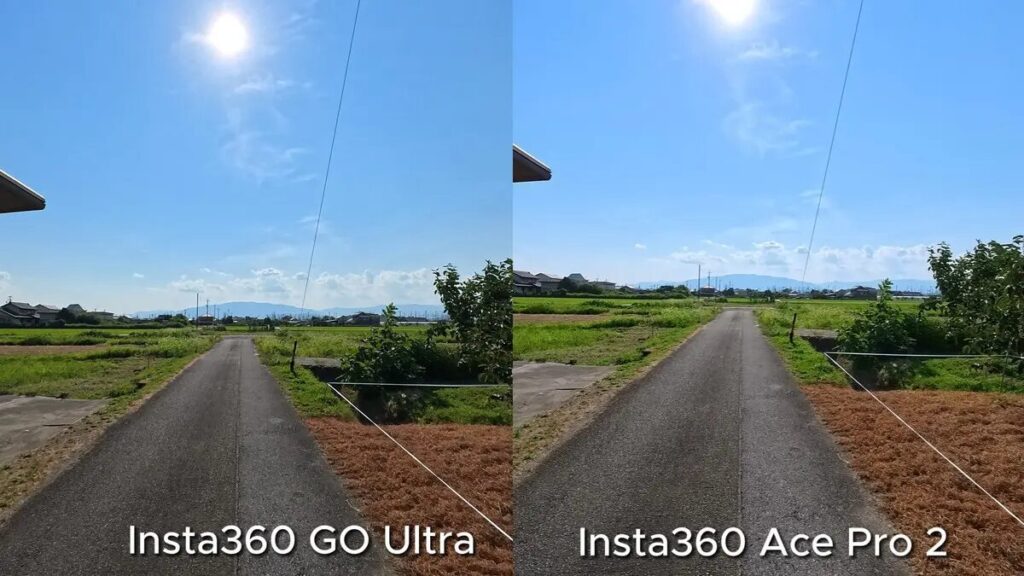
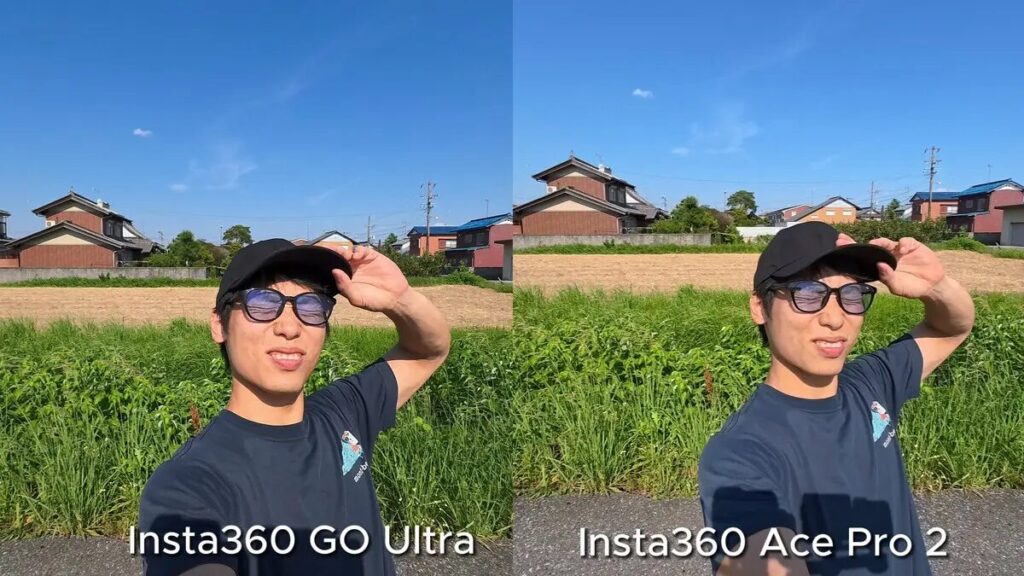
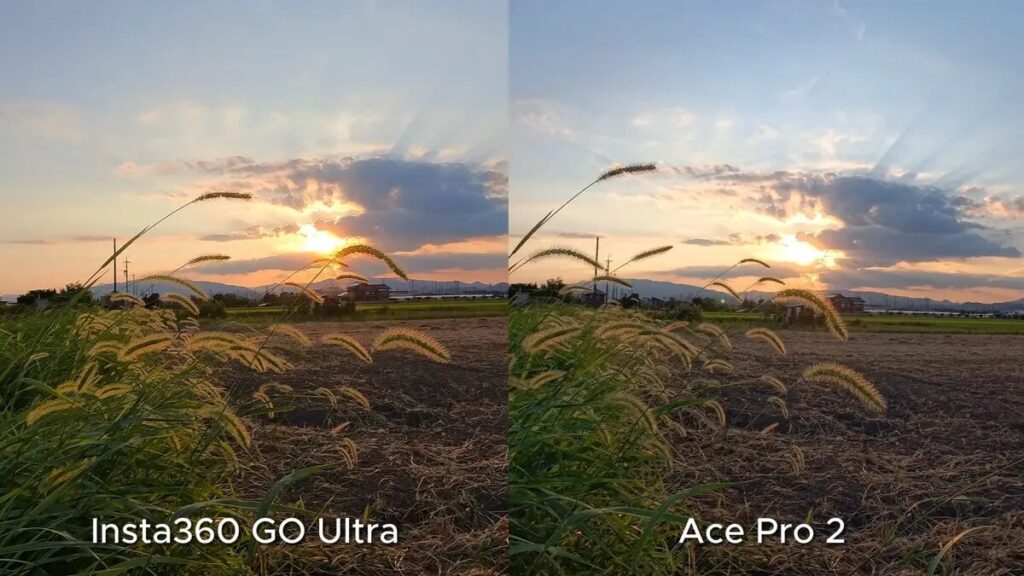
Unsurprisingly, cloud texture and fine details still favor the Ace Pro 2’s 8K resolution — but in terms of color reproduction and dynamic range, the two cameras are virtually indistinguishable.
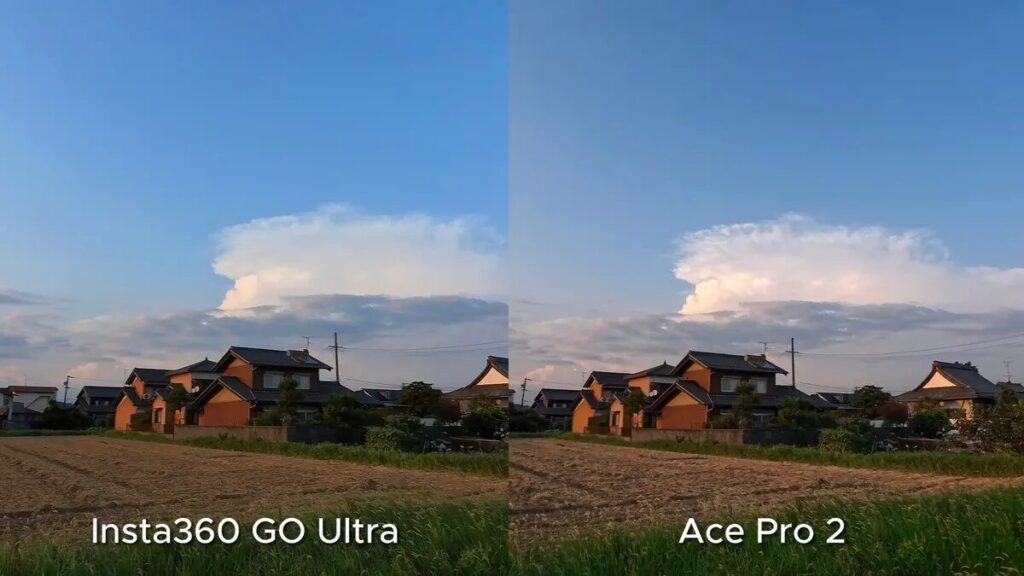
4K 2x Clarity Zoom
One of the most welcome surprises: the Ace Pro 2’s flagship Clarity Zoom (lossless digital zoom) feature has made it down to the GO Ultra. You can now zoom up to 2x while maintaining full 4K resolution, producing zoomed images that are genuinely among the best in the action camera category. Here’s what 2x zoom looks like in practice:
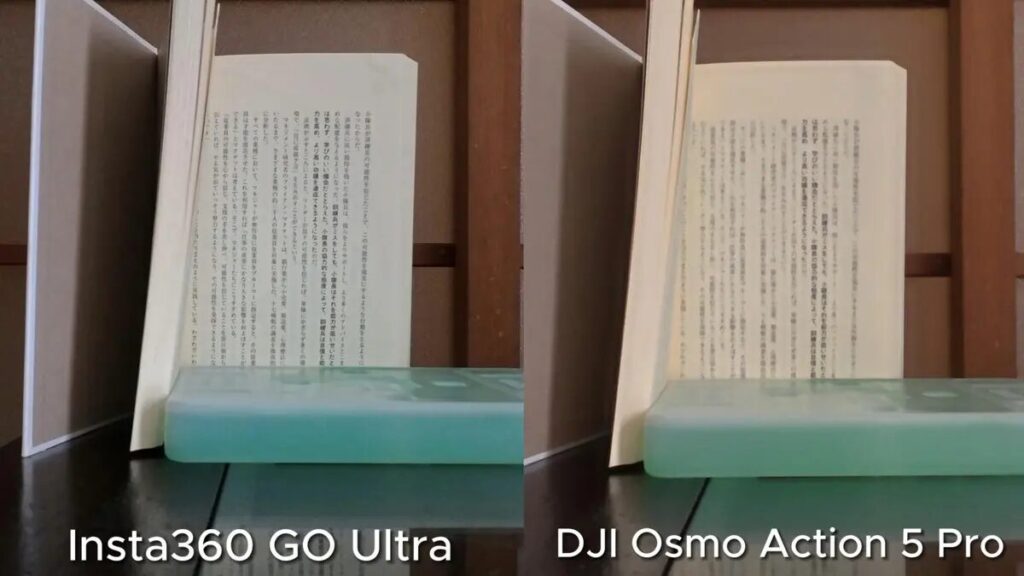
Even after cropping and zooming in, the GO Ultra image remains sharp and detailed — with no loss in readability.
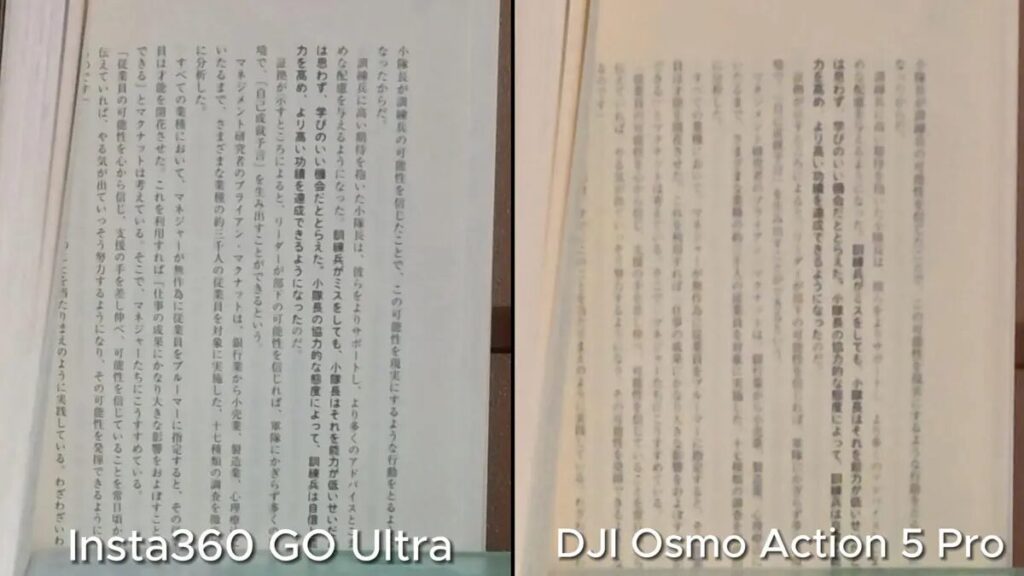
When further cropped and enlarged, here’s what it looks like:
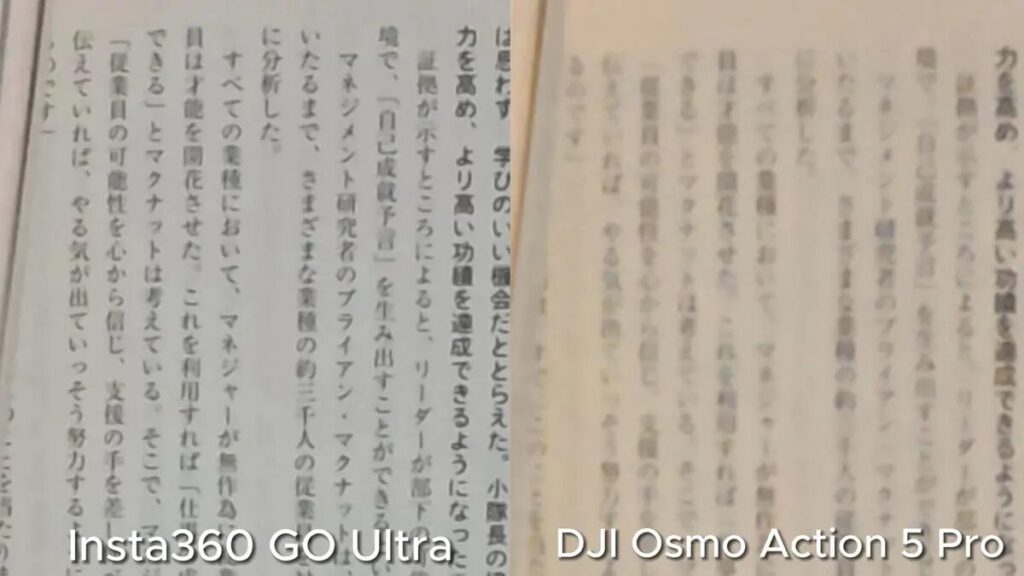
Being able to zoom while maintaining 4K resolution makes Clarity Zoom a genuinely practical feature to use regularly — and it meaningfully expands the camera’s creative versatility.
Field of View (FOV)
The GO Ultra’s maximum field of view has been increased to 156° — matching the standard on traditional action cameras like the GoPro HERO 13. All tests below were shot with stabilization in Standard mode, 16:9 aspect ratio, and maximum wide-angle setting:


Free Frame Mode
This feature, also found on the Ace Pro 2, allows the GO Ultra to record at up to 4K 30fps in Free Frame mode.
Free Frame captures the full field of view simultaneously in both portrait and landscape orientation — nothing gets cropped at the edges. This means you can decide on the final aspect ratio during post-production, not while shooting. No more second-guessing: “I wish I’d shot vertically!” or “Horizontal would have looked better!” — just shoot in Free Frame and choose later.
This is especially useful for unpredictable subjects like pets or kids. You capture every moment in full, with complete freedom to reframe afterward.


Portrait Filters
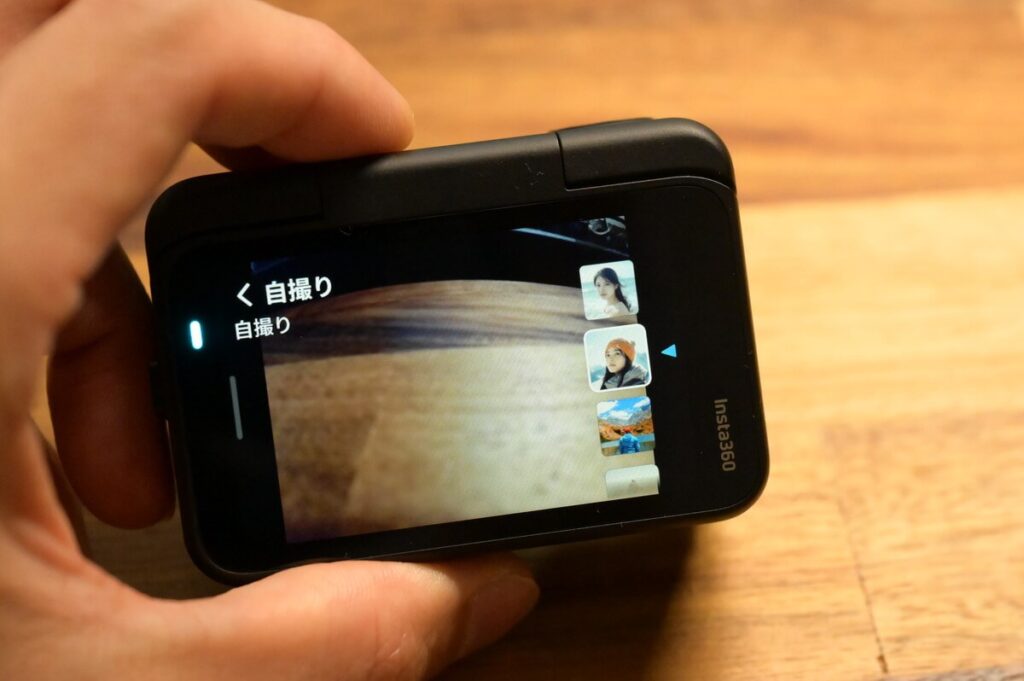
Portrait filters slightly reduce contrast to deliver a softer, more flattering look suited to portrait photography. You can select from different portrait filter options directly in the filter settings.
Insta360 App Auto-Edit
The GO Ultra continues to pair with the official Insta360 App. The built-in auto-edit feature is genuinely practical — it makes the editing experience intuitive and beginner-friendly. For everyday documentation or travel video sharing, the in-app editing tools are all you need. If you want higher-bitrate output, you’ll want to use Insta360 Studio on desktop.
Here’s a sample auto-edit video from the GO 3S for reference:
GO Ultra travel video — coming soon!
More Upgrades: Fast Charging & Remote Preview
Beyond improved image quality and battery life, the GO Ultra also introduces fast charging and the ability to remotely preview recorded footage without docking the camera in the Action Pod — both meaningful quality-of-life improvements.
Charging is dramatically faster than the GO 3S
| GO Ultra Charge Time | GO 3S Charge Time | |
|---|---|---|
| Camera Body Only | 12 min | 23 min |
| Camera + Action Pod | 18 min | 47 min |
Preview your footage remotely — no need to insert the camera into the Action Pod ↓
GO Ultra Mounting & Wearing Options
Magnetic Mounting
The video below shows how the GO Ultra looks when worn, giving you a direct sense of its magnetic attachment strength and security.
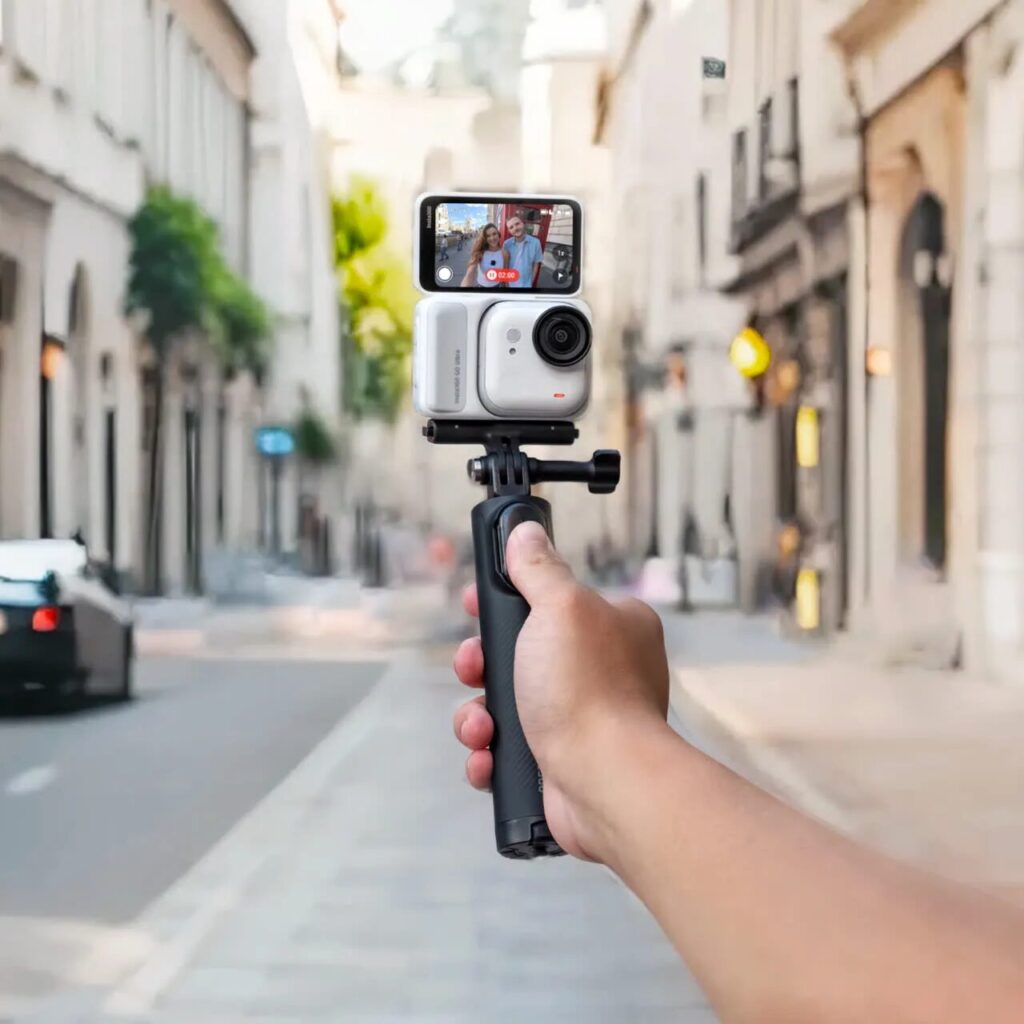
Using with a Selfie Stick / Tripod
If you need handheld shooting, you’ll want to pick up a dedicated GO Ultra tripod. This accessory is already included in the Family Bundle and Creator Bundle, so purchasing either bundle gets you covered immediately.
Head Mount Recording
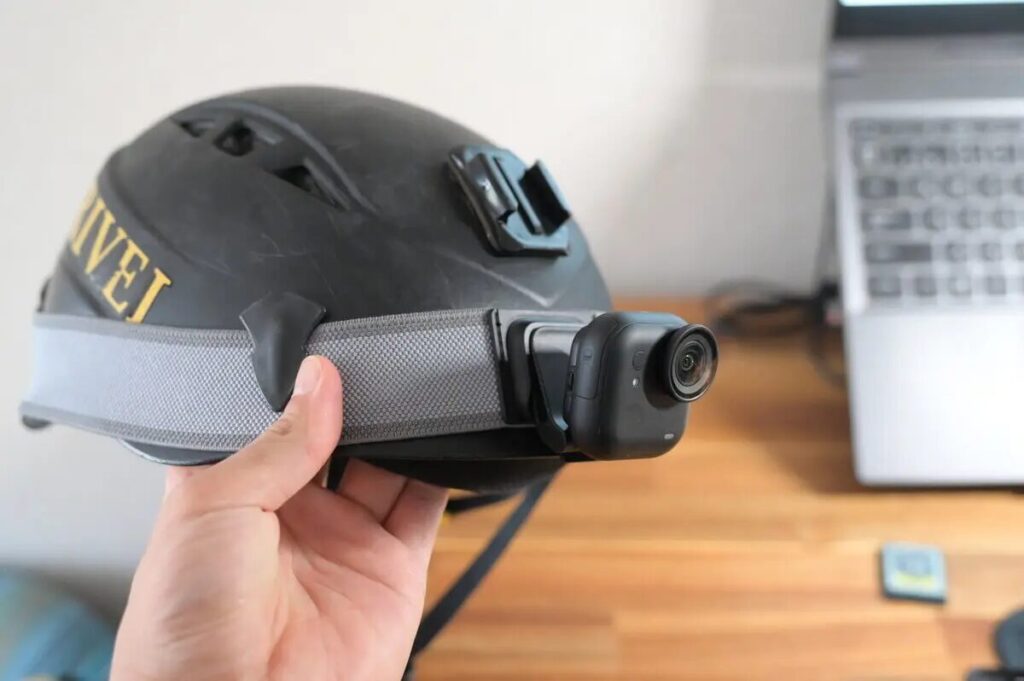
For head-mount recording, you’ll need the Easy Clip Headband to securely attach the GO Ultra to a cap or hat. This accessory is included in the Running & Hiking Bundle, making it the natural choice for runners who want a head-mount setup.
Best Use Cases for the Insta360 GO Ultra
Running & Cycling
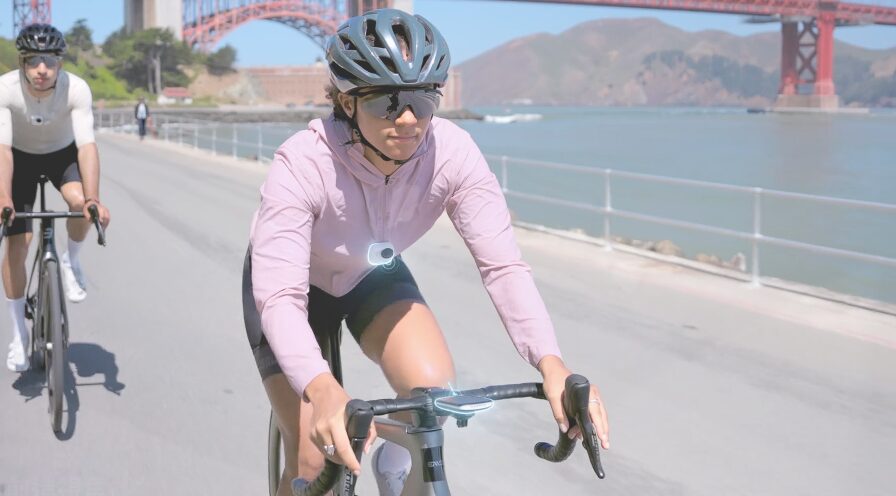
The GO Ultra excels in cycling, running, and skiing scenarios. It can be mounted on a helmet, bike frame, or selfie stick for a fully immersive first-person perspective.
Personally, the GO Ultra feels noticeably better suited for action sports than the GO 3S. The main reason: its wider field of view captures more dynamic detail in motion. Cycling and running are where the GO Ultra truly shines — grab the Cycling Bundle 🚴 or Running & Hiking Bundle 🏃 directly from the Insta360 store — both include all the accessories you need for their respective sports.

Vlogging & Travel Recording
The GO Ultra’s compact size paired with the flip-out screen makes it an excellent companion for travel Vlogging and daily life documentation.
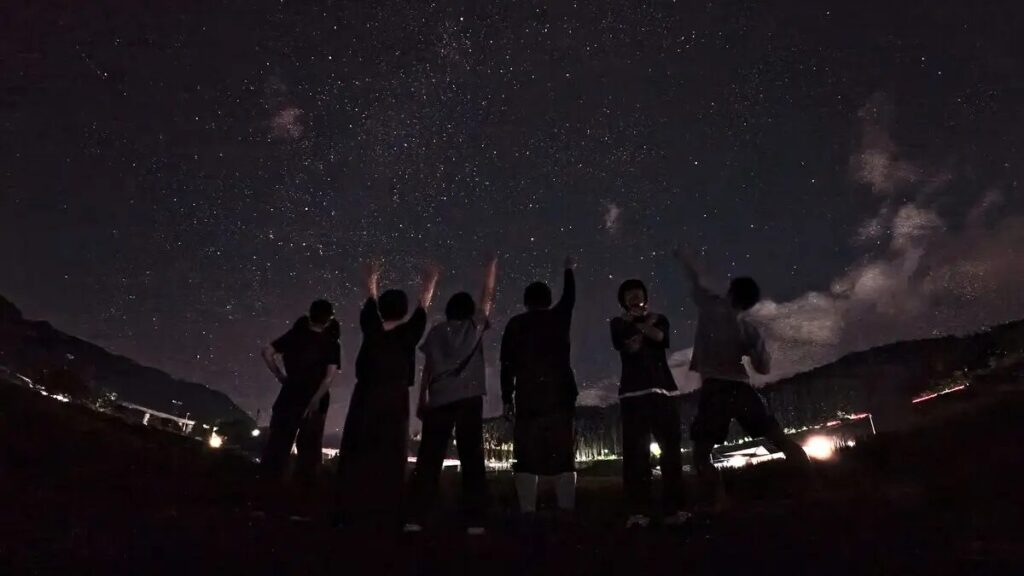
For trips longer than two days, I’d recommend bringing the GO Ultra over the GO 3S — its longer runtime and fast charging mean it can handle everything from all-day shooting to time-lapse stargazing at night.
For extended Vlog recording, the Creator Bundle is the way to go — it includes a tripod and Pivot Stand, supporting POV, handheld, and head-mount shooting. More creative freedom, no need to figure out which accessories to buy separately. If you want a built-in external microphone solution, the Vlogger Bundle with Mic Air is worth considering.
Family & Kids
The lightweight body, combined with the magnetic pendant or hat clip, lets you capture a child’s first-person perspective effortlessly. The AI feature auto-generates family photo albums. The GO Ultra’s baby hat clip POV has become a real hit lately.
Who Should Still Buy the GO 3S?
Ultra-Portability is Your Top Priority
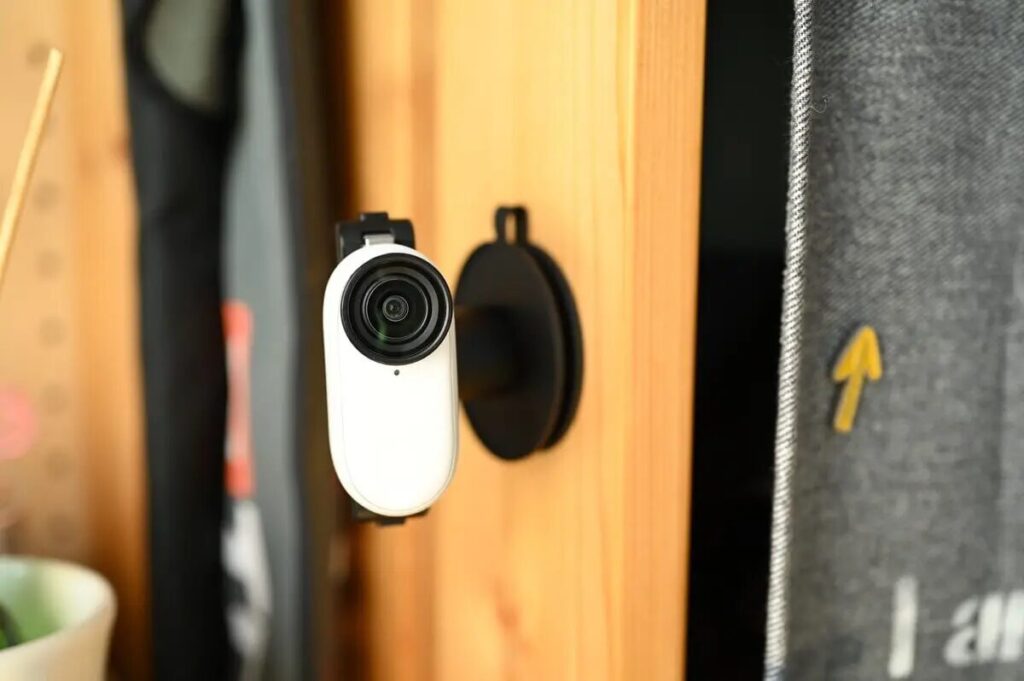
The GO Ultra is not a replacement for the GO 3S — the two coexist in Insta360’s lineup. If ultra-portability is your primary concern, the GO 3S remains the definitive choice. As the lightest thumb camera on the market, it’s significantly easier to carry at all times compared to the GO Ultra.
Short Clips & Budget-Conscious Buyers
If you’re mainly shooting short Vlog clips and care more about creative angles than image quality, the GO 3S is still a great option. Since the GO Ultra launched, the GO 3S has been permanently discounted. Purchasing through our affiliate link on the Insta360 official store also earns you a free screen protector and carry case.
Conclusion: Is the Insta360 GO Ultra Worth Buying?
In summary, the Insta360 GO Ultra fully inherits the GO series’ portability and ease of use, while delivering a comprehensive upgrade in both image quality and features. With its 1/1.28-inch sensor, all-new design, 4K 60fps and PureVideo night shooting, the new Running/Hiking Bundle, microSD card support, fast charging, extended battery life, and remote preview via the Action Pod — the GO Ultra has virtually no real competition among 2025’s latest Vlog cameras.
The GO Ultra combines high-quality footage in any lighting condition, compact portability, and creative multi-angle shooting — like a little powerhouse you carry everywhere. If you’re looking for a mini Vlog camera that’s always with you without sacrificing image quality or creative freedom, the GO Ultra is the clear answer.